

Fleet Console
Manage customers, sites, devices and configuration.
The Fleet Console is where you set up Klockix devices and check that they run. People clock in on the device. Bookings go from the device straight to Odoo; the console never sees them (Privacy).
Accounts
Every company has its own account in the console.
| Account | Purpose |
|---|---|
| Partner | An Odoo partner who looks after customers. The partner creates customers and sets up their sites, Odoo connection, configuration and devices. Its own sites and devices work like a customer's. |
| Customer with partner | A company looked after by a partner. The partner sets things up; the customer's people see their account and read the settings. |
| Direct customer | A company without a partner. It sets everything up itself. |
A customer only sees its own account, none of its partner's other customers.
Roles
Every person has a role in an account.
| Role | May |
|---|---|
| Owner | Everything. The primary owner can transfer the account to another member. |
| Administrator | Everything except transferring the account. |
| Member | Read devices, status and alerts, and acknowledge alerts. A member does not see the audit log or the details of the Odoo connection. |
In an account a partner looks after, the partner's person who created the customer is the primary owner. All people of the partner account open the customer through their partner account: owners and administrators of the partner make changes, members of the partner read. The customer's people are administrators at most. They invite colleagues, rename devices and acknowledge alerts. They only read configuration, Odoo connection and notification settings. Locked fields then carry the note “These settings are managed for you by your Odoo partner.”
An owner or administrator invites Klockix support into the account as a member (Customers and users). What Klockix sees without an invitation is under Privacy.
Overview
As a partner you land on the overview of your partner account. It shows your customers with their devices and open alerts, and below them the card “Own devices”.
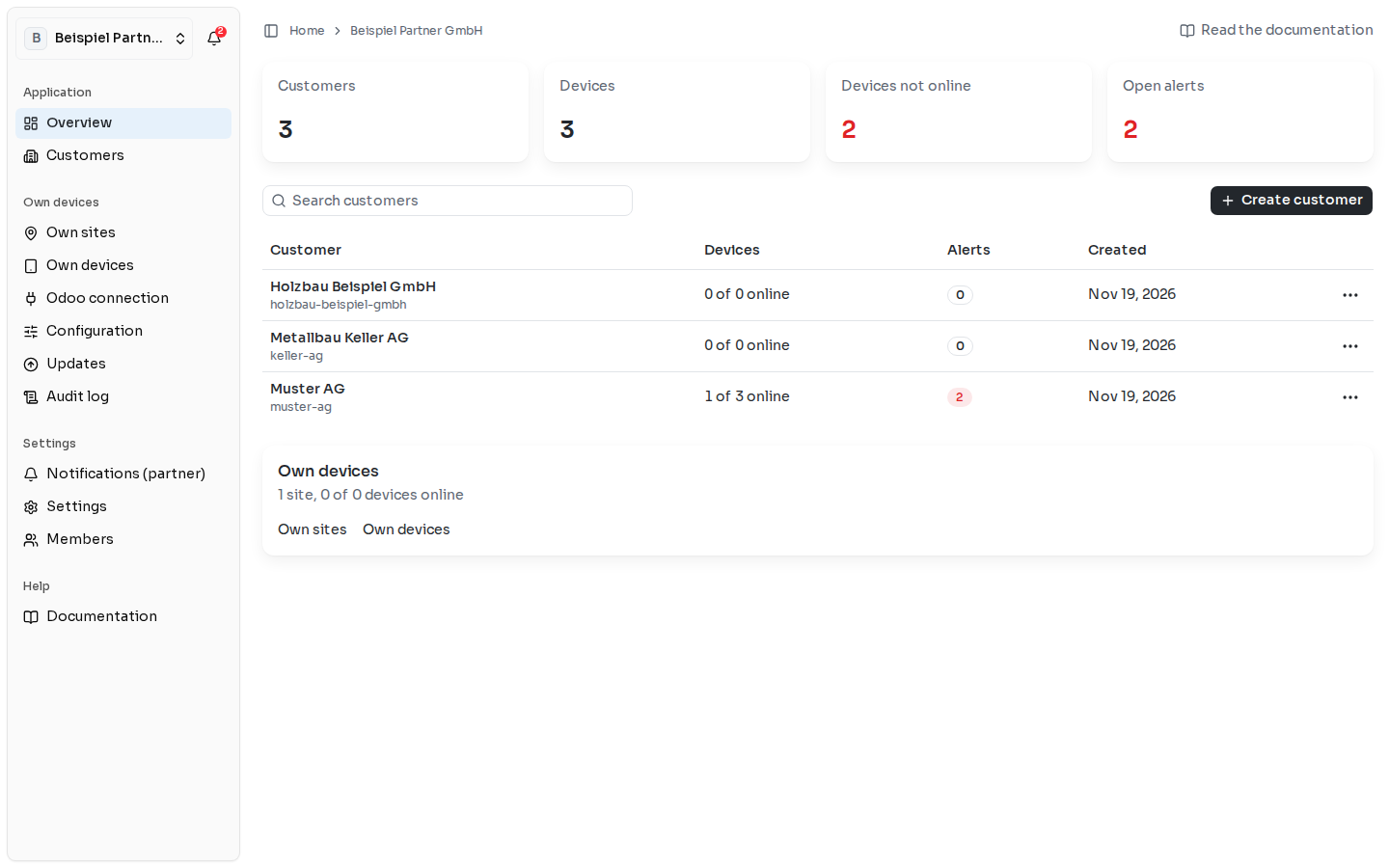
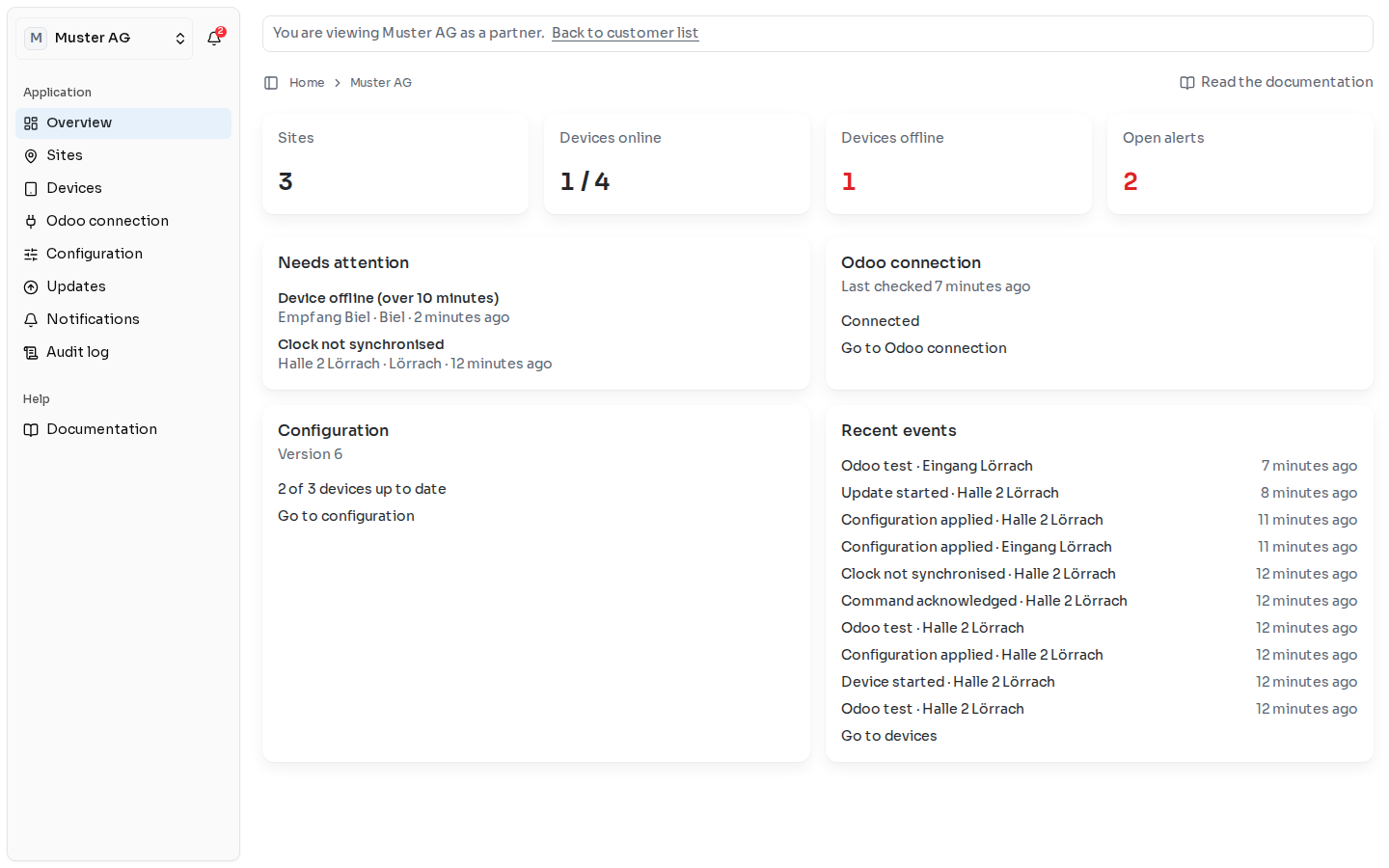
Clicking a customer opens its overview. The top then reads “You are viewing Muster AG as a partner.” with the link “Back to customer list”.
Chapters
- Getting started: sign in, sign up, accept an invitation, layout, language.
- Customers and users: create a customer, invite people, Klockix support.
- Sites: time zone, operating hours, clocking outside hours.
- Odoo connection: API key or kiosk link, test, status.
- Configuration: fields, inheritance, logo, preview.
- Registering devices: create and send a code.
- Managing devices: list, status, details, actions.
- Updates: versions, rollouts, rollback.
- Notifications: alerts, the bell, email.
- Audit log: who changed what, CSV.
- Privacy: what the cloud sees and what it does not.
- Troubleshooting: device offline, Odoo errors, forgotten PIN.
For the first customer there is the quick start for partners.