

Configuration
Settings for company, site and device, inheritance and logo.
The configuration decides what the device shows and how it behaves. It has three levels: company, site, device. What the company sets applies everywhere until a site or a device gets its own value.
Fields
| Group | Fields |
|---|---|
| Display | “Device language”, “Logo”, “Brightness during operating hours”, “Brightness in standby” (0 switches the display off), “Show the time”, “Display after clocking”, “Display duration after clocking” |
| Operating hours | “Operating hours” and “Clocking outside operating hours”, as the default for the sites |
| Sound | “Sound on clocking”, “Volume” |
| Badge | “Selection without badge” (name and PIN when someone has no badge with them), “Ignore a second tap for” |
| Fleet | “Heartbeat interval”: how often the device reports |
| Diagnostics | “Allow diagnostics”: error reports from the device and diagnostics packages on request |
“Device language” offers Deutsch, English, Español, Français, Italiano and Nederlands, each named in its own language. If no value is set, the device shows German.
“Display after clocking” offers “Name only”, “Hours today” and “Hours today and balance”. The values come from Odoo. The device only shows a balance if Odoo records overtime.
Set up the company
- Open “Configuration”.
- Change the fields. On the right, the preview shows the device during operating hours and in standby.
- Click “Save” in the bar at the bottom. It shows for instance “Unsaved changes: 2 fields”. “Discard” takes the changes back.
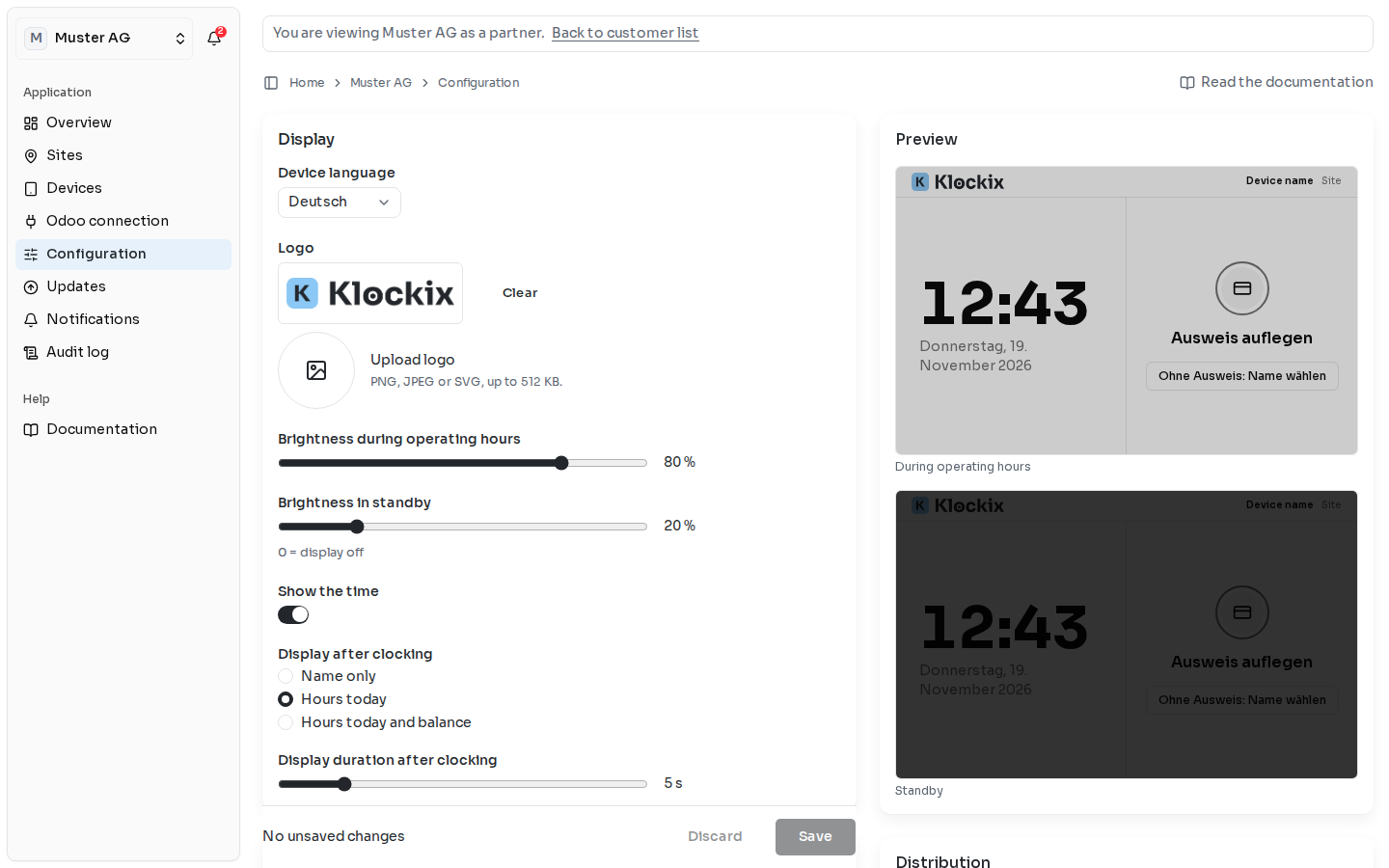
Devices apply the configuration on their next heartbeat, within two minutes. The card “Distribution” shows how many devices already run the current version. If someone else saved in the meantime, the console reports “The configuration was changed in the meantime. Reload the page.”
Service PIN
The service PIN opens the service menu on the device. It applies to all devices of the account and cannot be set per site or device.
- In the card “Service PIN”, enter 4 to 8 digits under “New service PIN”.
- Click “Save PIN”.
The PIN is never shown. The console refuses simple sequences such as 1234 or 0000. Devices apply the new PIN on their next heartbeat.
Logo
- Under “Logo”, click “Upload logo” and choose the file.
- Click “Save”.
PNG, JPEG and SVG up to 512 KB are allowed. An SVG must not contain scripts or external references. Save an SVG from Inkscape as “Plain SVG”. An Inkscape SVG carries attributes of its own, which the upload refuses. Without a logo of its own the device shows the Klockix logo.
Logos are publicly readable in storage because the devices load them without signing in. Only upload a picture that anyone may see.
Site and device
The tab “Configuration” of a site and of a device holds the same fields. Each field shows where its value comes from:
| Label | Meaning |
|---|---|
| inherited from company | The value comes from the company's configuration. |
| inherited from site | Devices only: the value comes from the site. |
| default | Nobody set the field; the default value applies. |
| Own value | This level has a value of its own. The inherited one is shown below, for instance “Company: Deutsch”. |
- Switch on “Override” for a field.
- Change the value.
- Click “Save”.
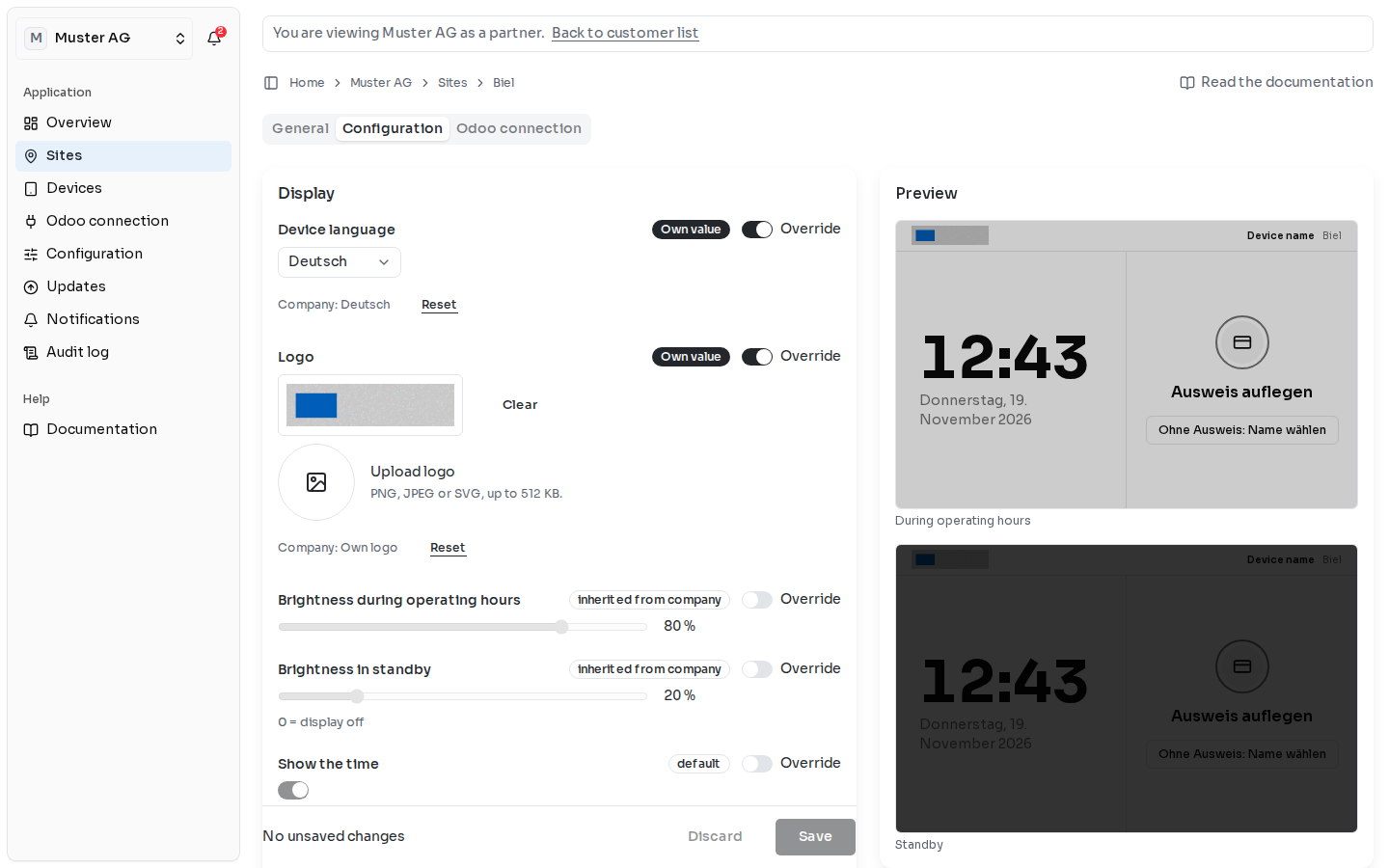
“Reset” removes the own value. The inherited one applies again. On a device, “Reset all device values” removes all its own values at once.
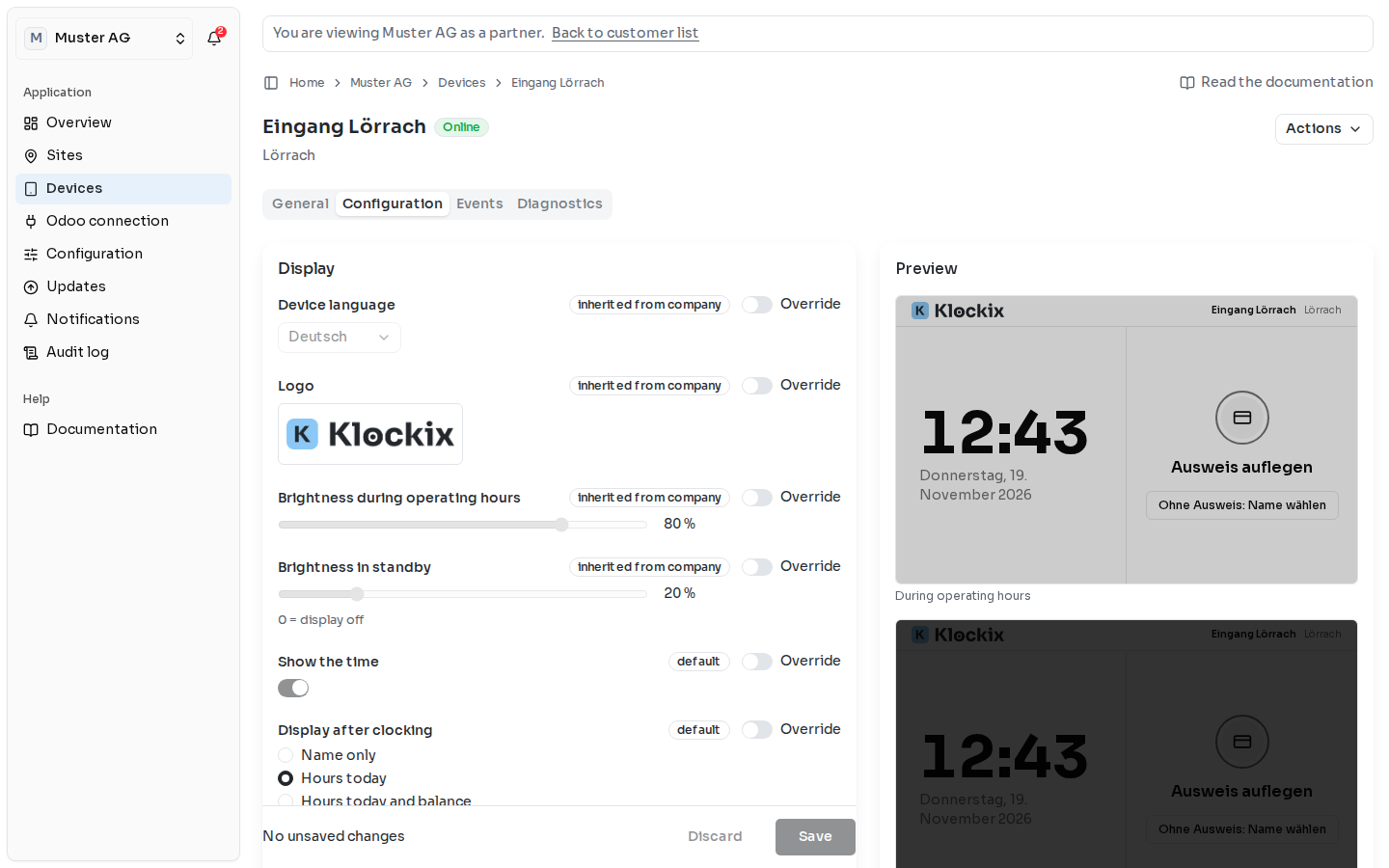
A typical case for own values on a device is the one at the hall gate: brightness 100 and volume 90, everything else from the site.
Diagnostics apply as soon as one level allows them. An “on” for the company or the site cannot be switched off further down.
Example: Lörrach, Biel and Zürich
Muster AG sets: operating hours Mon–Fri 08:00–18:00, clocking outside allowed, language German, brightness 80, 20 in standby, the Muster AG logo.
| Site | Own values | On the device |
|---|---|---|
| Lörrach (Europe/Berlin) | none | Mon–Fri 08:00–18:00, outside allowed, German, 80 and 20, Muster AG logo |
| Biel (Europe/Zurich) | Operating hours Mon–Fri 12:00–14:00, language German, its own logo | Mon–Fri 12:00–14:00 Zurich time, outside allowed, German, 80 and 20, Biel logo |
| Zürich (Europe/Zurich) | Operating hours “Around the clock”, clocking outside allowed | always ready, German, 80 and 20, Muster AG logo |
In Biel “Deutsch” is an own value although it is the same. If someone switches the company to English, Lörrach changes at once and Biel stays German. “Reset” in Biel takes the language from the company again.
In Zürich “Around the clock” is an own value. An empty weekly plan means: always ready, even though the company sets Mon–Fri 08:00–18:00.
Read only
A customer with a partner sees the configuration but does not change it. The fields are locked, and the top reads “These settings are managed for you by your Odoo partner.”
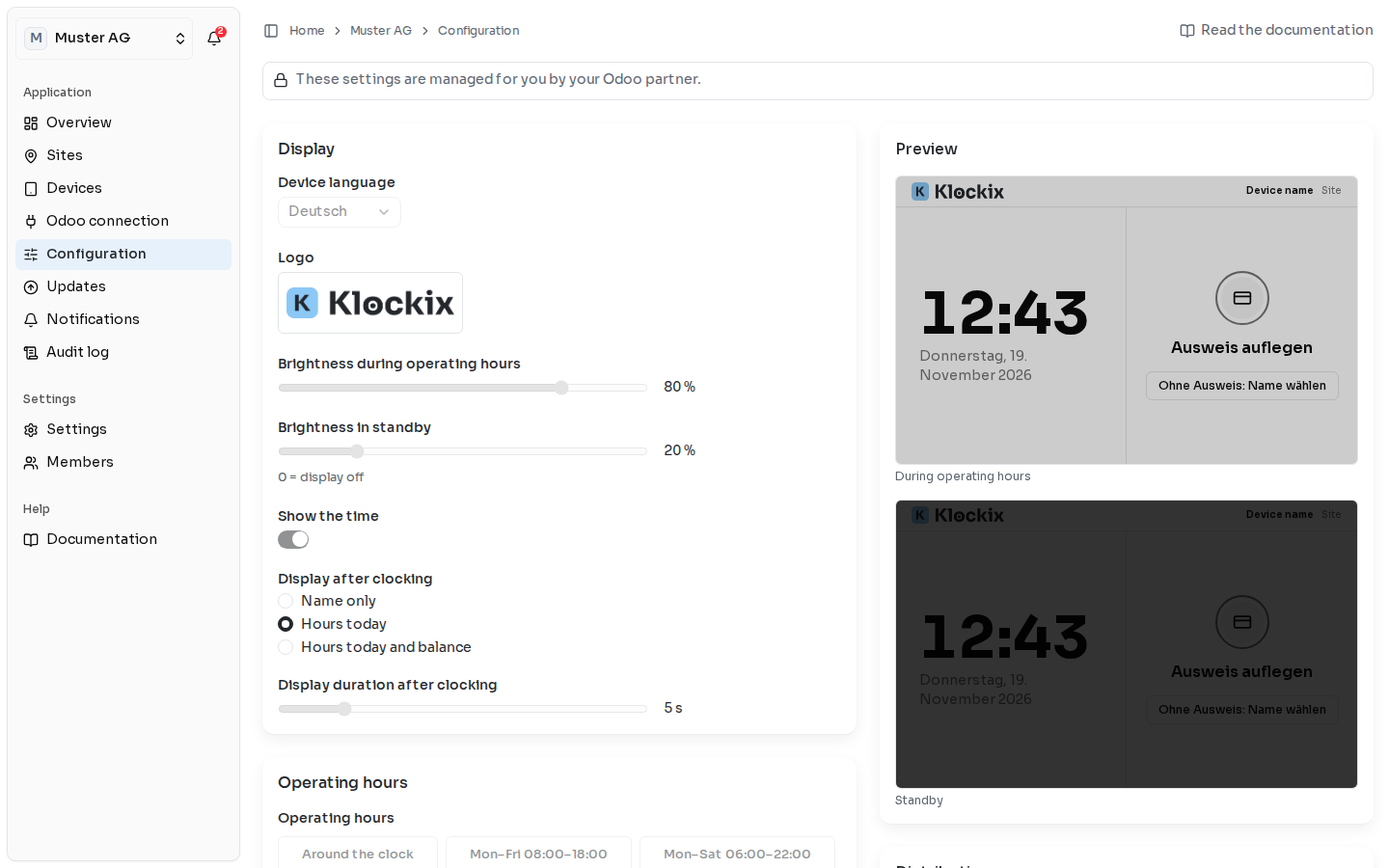
Members of an account see “You have read access. Changes are made by an administrator.”