

Updates
How updates and rollouts reach the devices.
Klockix delivers new versions of the device app through the cloud. Customer devices only get tested versions from the channel “stable”. The channels “beta” and “dev” exist only for Klockix's test devices.
Page “Updates”
The page shows which versions run on the account's devices, which rollout is in progress and which device expects an update.
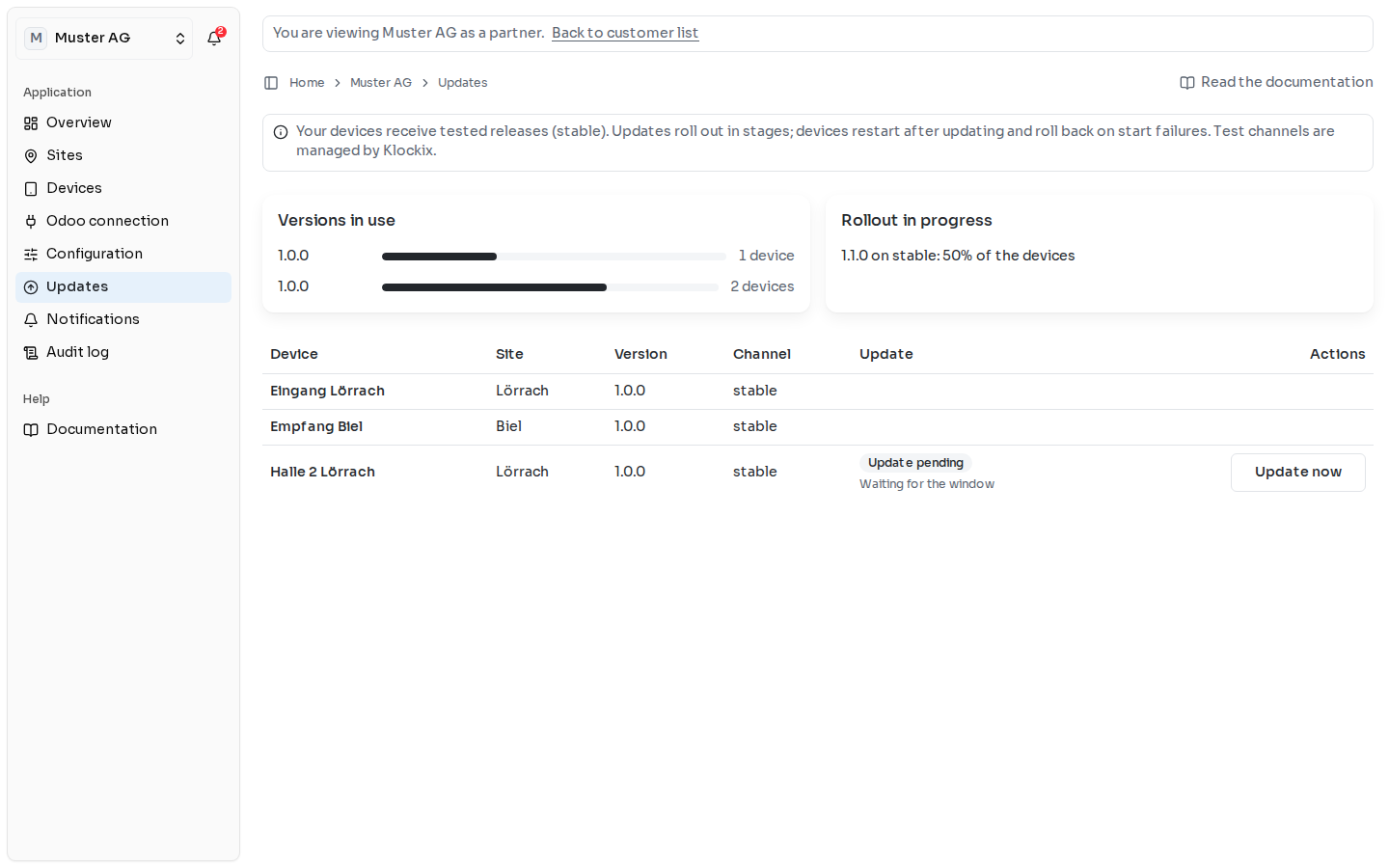
- “Versions in use” shows how many devices run each version.
- “Rollout in progress” names version, channel and the share of devices that get it.
- The table shows version, channel and “Update pending” for each device that has a new version ready.
After “Update now” on a device with a pending update, the device installs at the first full quarter hour with no booking or touch in the minute before it. Only Klockix changes a device's channel.
How an update runs on the device
- The device downloads the new version and the previous one as a fallback and checks both.
- It installs at the first full quarter hour before which nobody booked or touched the device for 2 minutes outside operating hours, or 10 minutes during operating hours. While bookings are waiting it never installs. A site that runs around the clock needs 10 minutes without a booking or a touch before a full quarter hour for this. “Install now” in the device's service menu installs one minute after leaving the menu, without waiting for the quarter hour. If someone books or touches the device in that minute, the quarter hour applies again.
- It shows “Installing update” and restarts.
- For the first 5 minutes it checks itself. If anything fails, it goes back to the previous version by itself.
No bookings are lost on the way. The console reports a failed update as the alert “Update failed” (Notifications).
Rollout in stages
A new version first goes to part of the devices, for instance 10 %. Klockix raises the share step by step. A device that is in at 10 % stays in at 50 %. If updates fail on at least two devices or 10 % of the devices, the rollout pauses by itself.
For Klockix: releases
In the admin area, “Releases” lists every version with channel, size, SHA-256, “Signature checked”, notes and the number of devices on it.
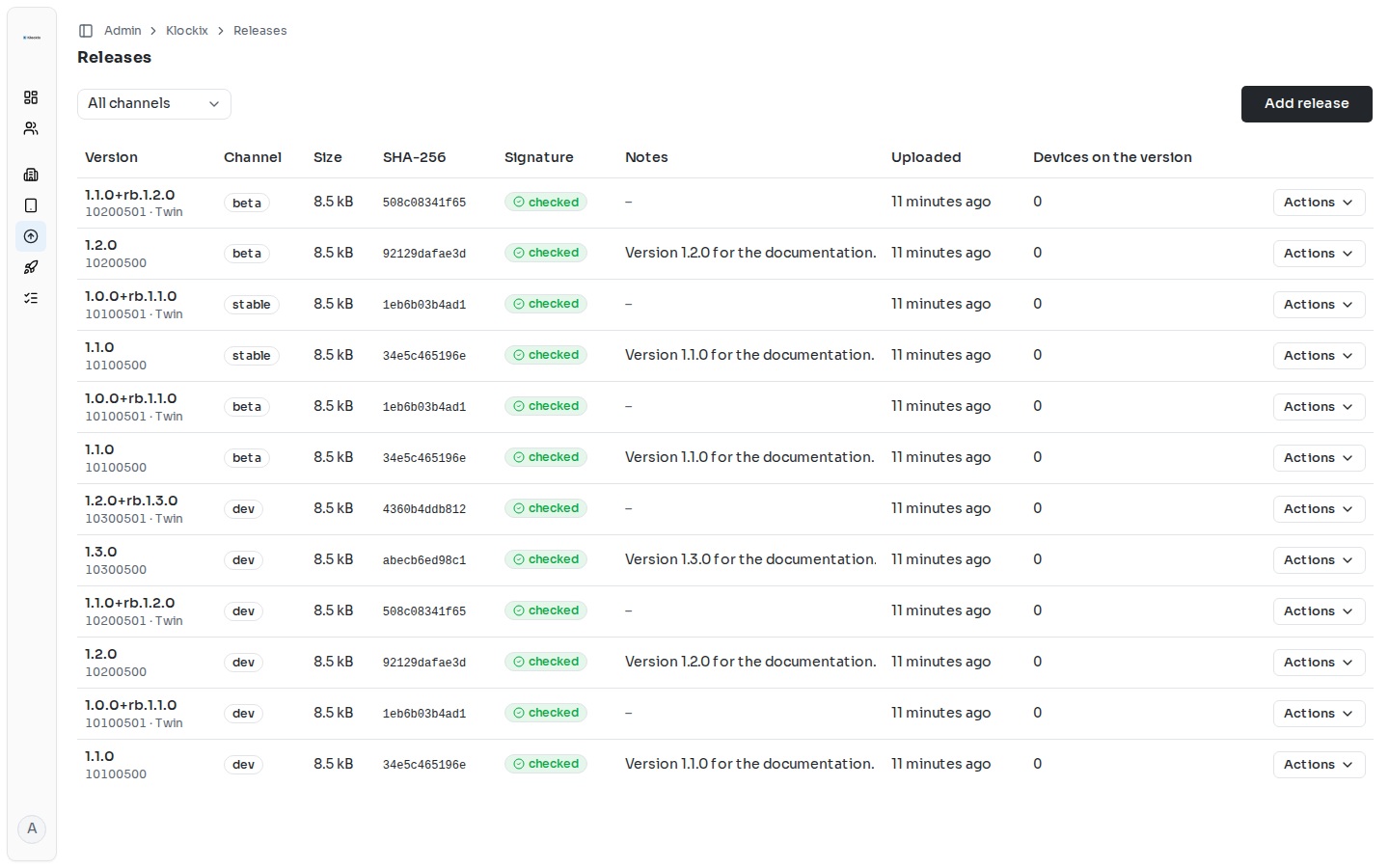
- Click “Add release”.
- Enter versionCode, versionName and minSdk, plus notes in German and English.
- Choose the APK file, at most 80 MB, signed by CI.
- Click “Upload and add”.
New releases start on dev. Upload each release's twin as well, the previous version for the fallback. Only the pair is ready. With “Mandatory update”, a device needs only one minute without a booking or a touch before a full quarter hour. It is meant for security updates only.
The row menu “Actions” promotes a version from dev to beta and from beta to stable. Stable comes at the earliest 7 days after the step to beta. “Skip the beta period” is for urgent fixes only and is logged. “Withdraw” asks for the typed version. Devices are no longer offered the version afterwards; its twin stays for the fallback.
For Klockix: rollouts
A rollout offers a version to the devices of a channel, on stable in stages.
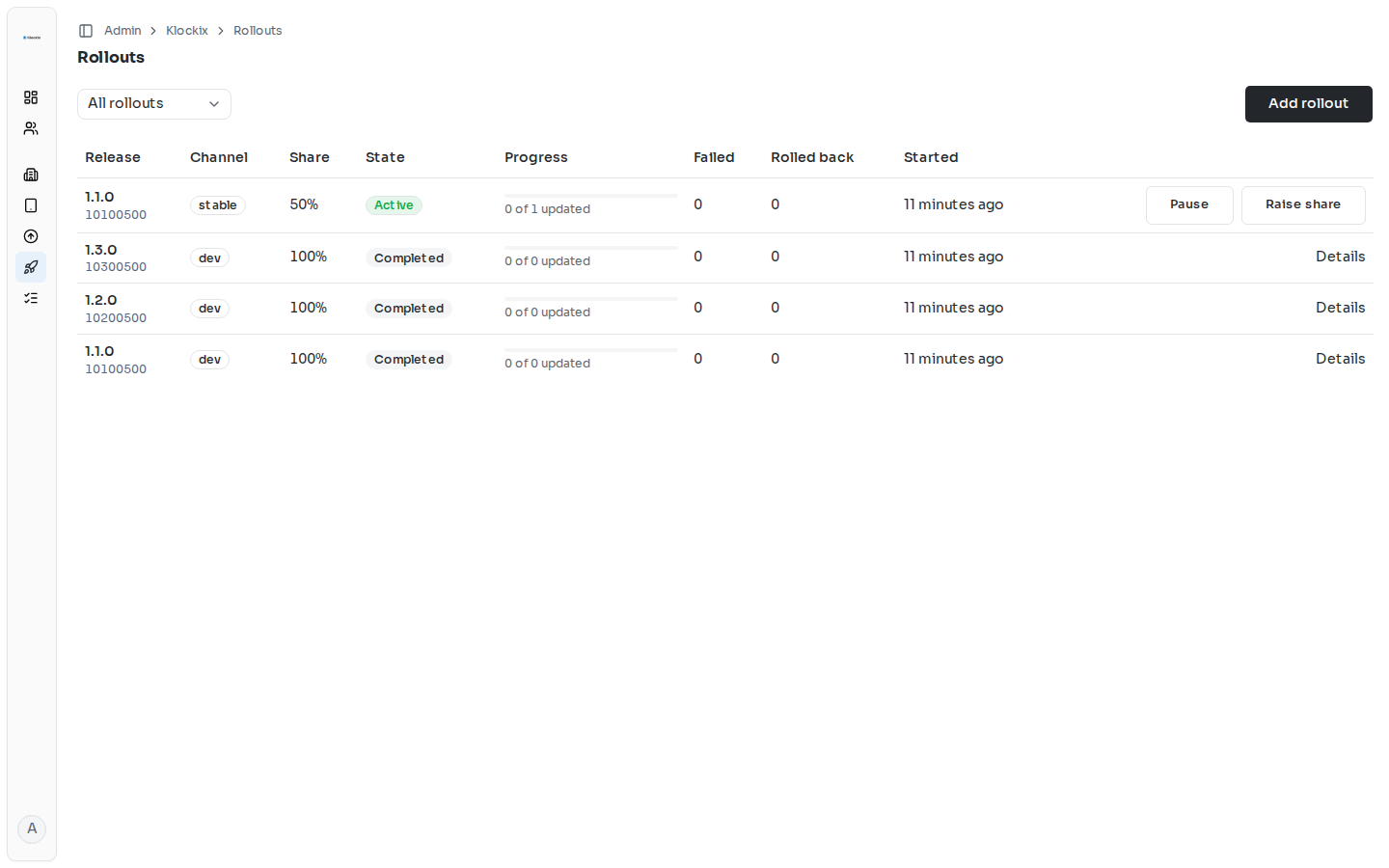
- Click “Add rollout”.
- Choose the version.
- Set the share of devices.
- Click “Start rollout”.
“Raise share” only goes up. “Pause” stops a rollout, “Resume” lets it run on, also after an automatic pause. “Complete” is offered at 100 %.
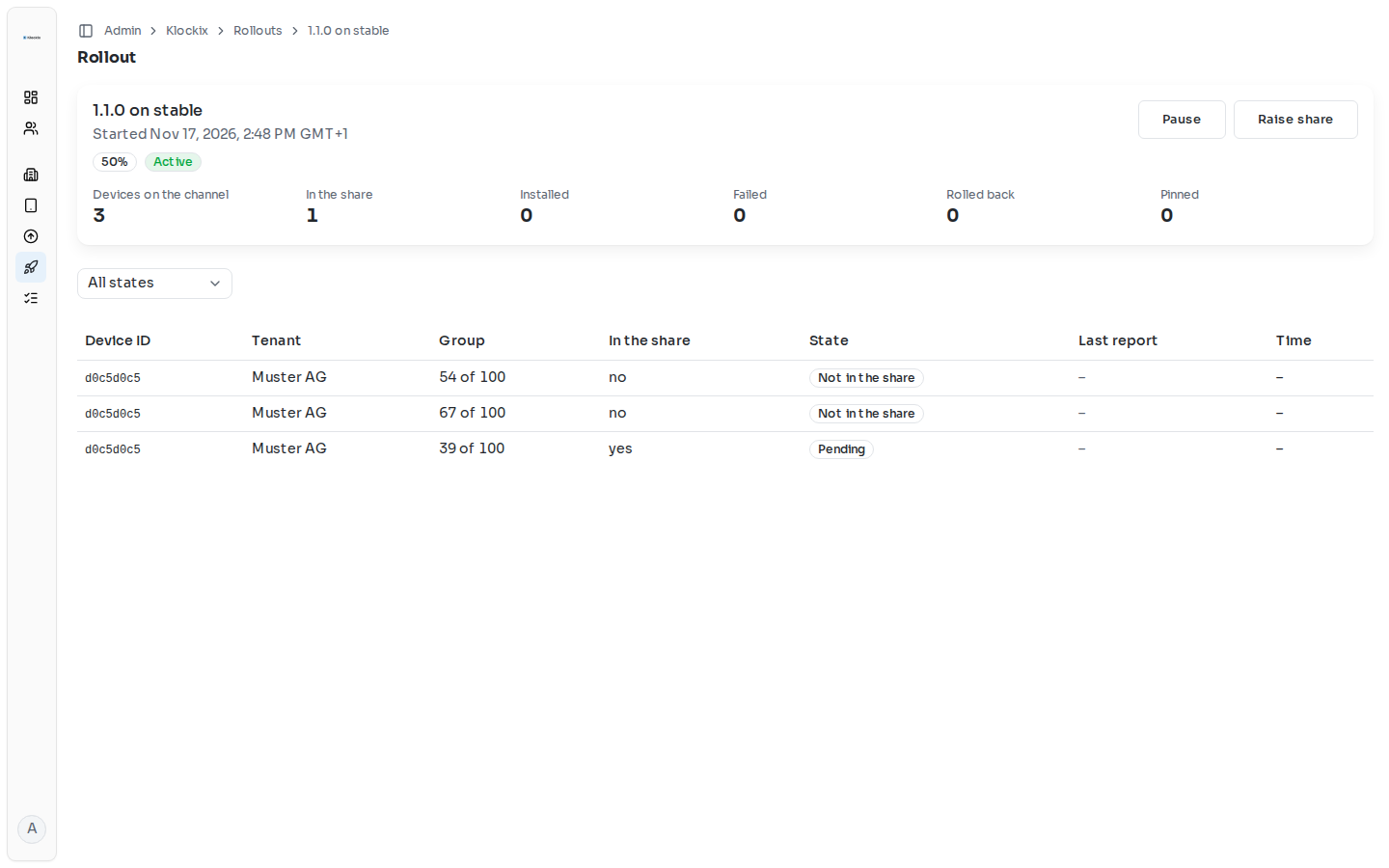
A rollout's detail page counts the devices per state and lists them one by one: shortened device ID, tenant, group, whether they are in the share, state and last report. It shows no device names and no sites.
For Klockix: devices
“Devices” in the admin area lists all devices with tenant, channel, version, status and update state, without names and sites.
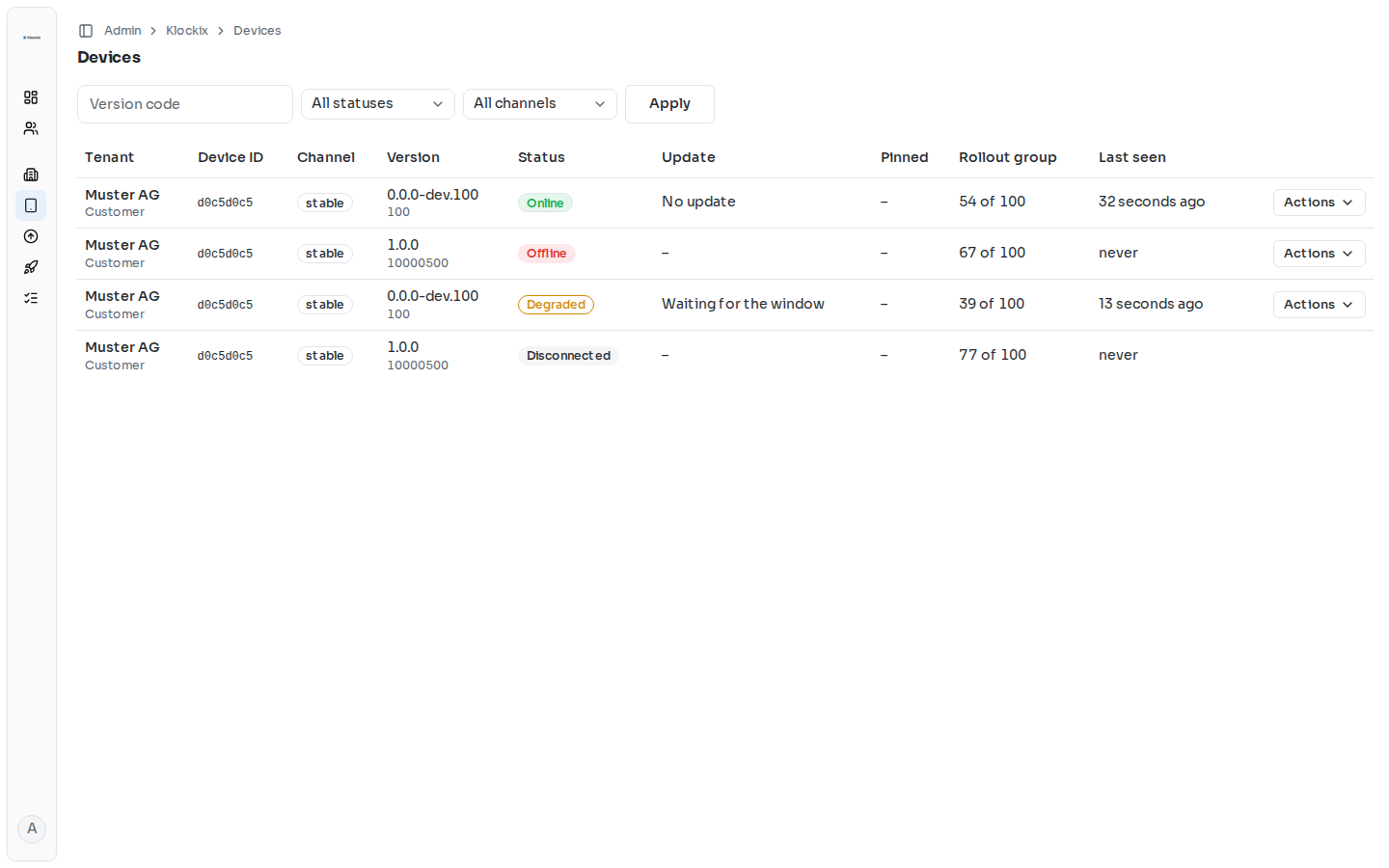
“Set channel” puts a device on stable, beta or dev; beta and dev exist only for devices of the lab tenant. “Pin” holds a device on one version. The pin ends by itself after 30 days, so no device stays without security updates for good.
Only super admins change rollouts, channels and pins. Klockix support sees releases and devices without actions.