

Sites
Create a site, set its time zone and operating hours.
Every device belongs to a site. The site sets time zone and operating hours and can have its own configuration and its own Odoo connection. Create the site before you register a device.
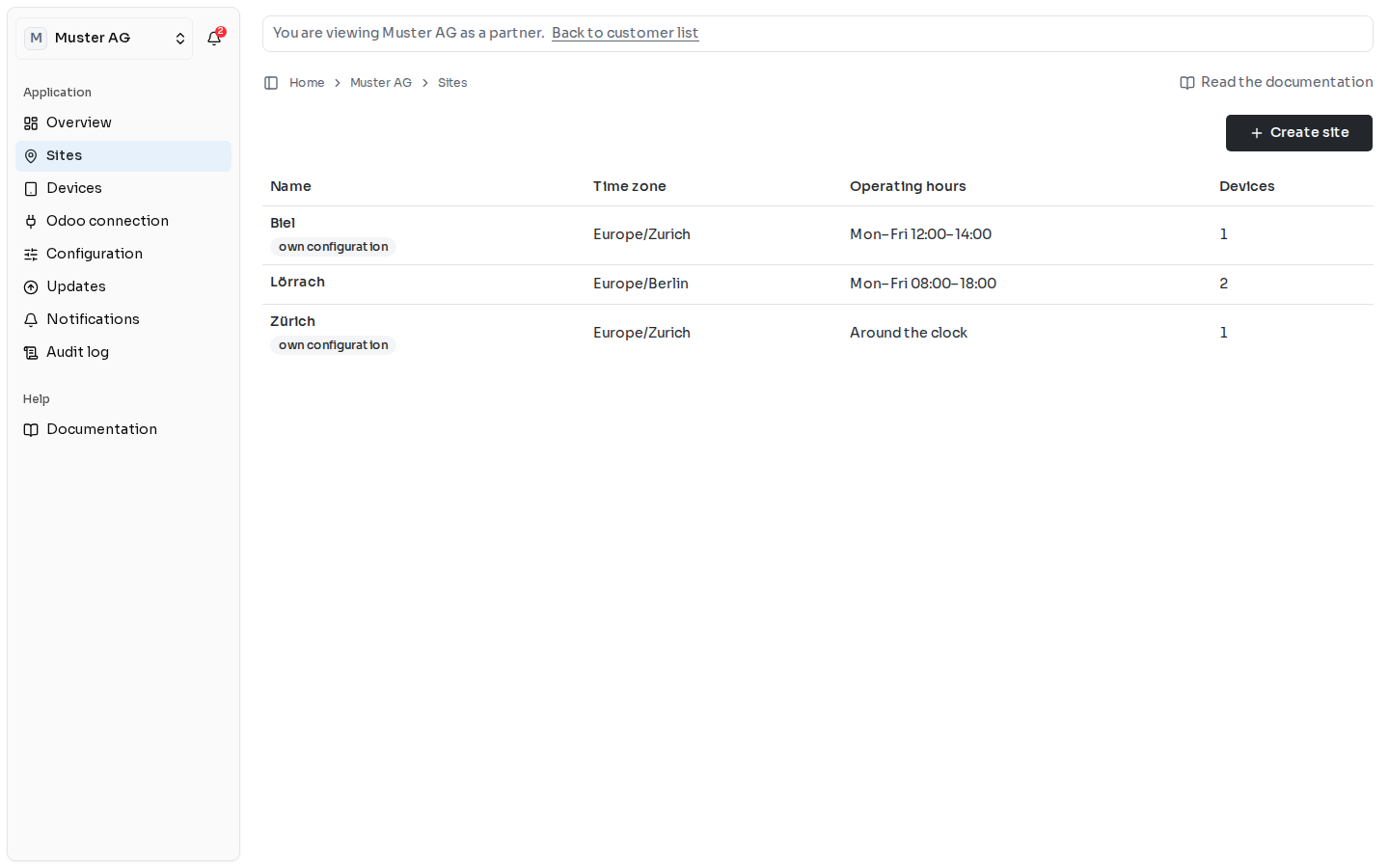
Site list
“Sites” lists each site with time zone, operating hours and devices. The labels “own configuration” and “own Odoo connection” show where a site differs from the company.
Create a site
- Click “Create site”.
- Enter a name of 2 to 60 characters. It has to be unique in the account.
- Enter the address if it helps.
- Choose the time zone. The console suggests the customer's time zone.
- Set the operating hours.
- Choose whether clocking is allowed outside operating hours.
- Click “Create site” at the bottom of the form.
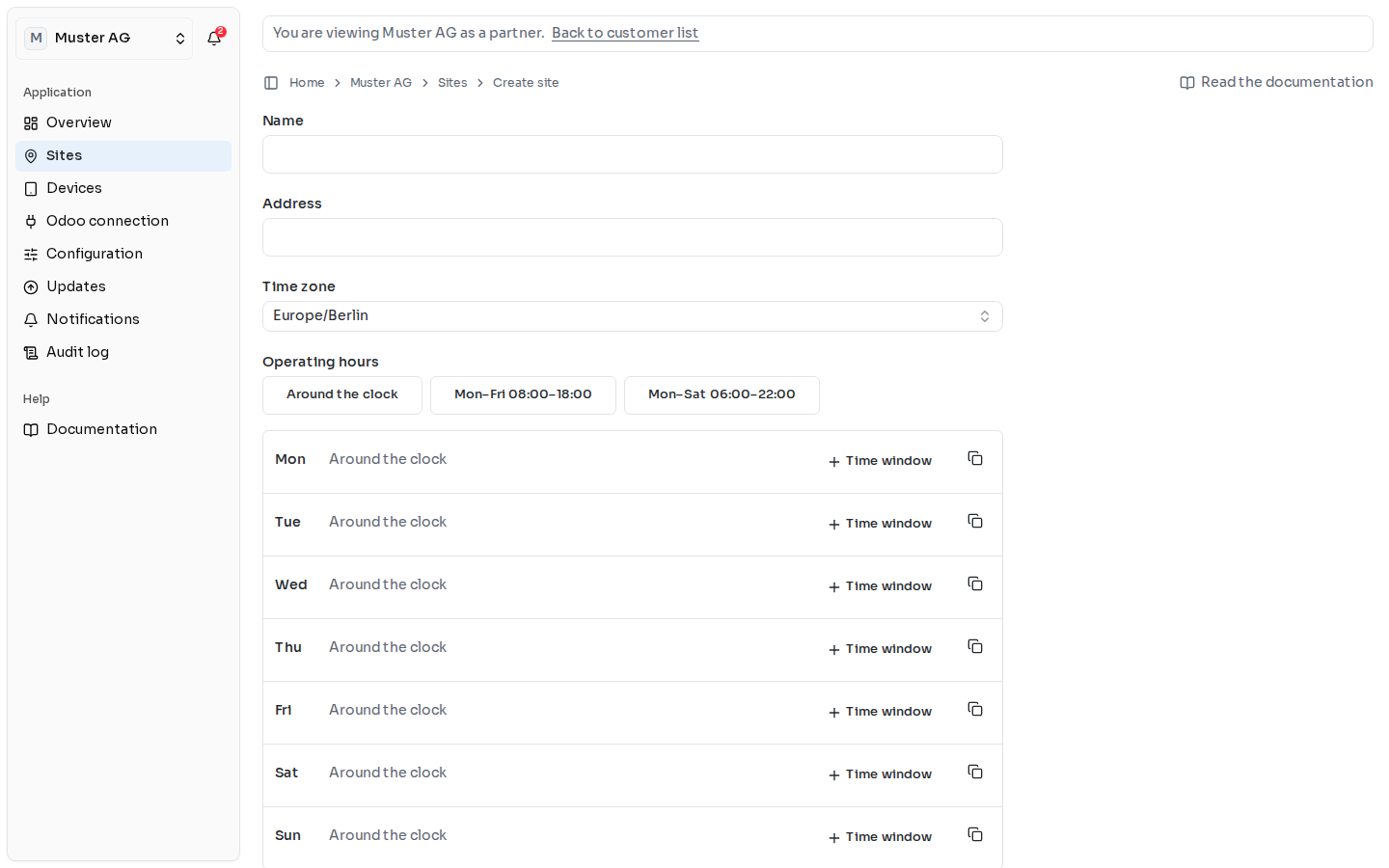
The time zone sets the time on the device and when operating hours start and end. Odoo counts the hours after clocking in each person's time zone (Odoo connection).
A site's detail page has three tabs: “General”, “Configuration” and “Odoo connection”. A site can only be deleted once no device belongs to it.
Operating hours
During operating hours the device is bright and ready. Outside them it goes to standby: it dims to the standby brightness or switches the display off.
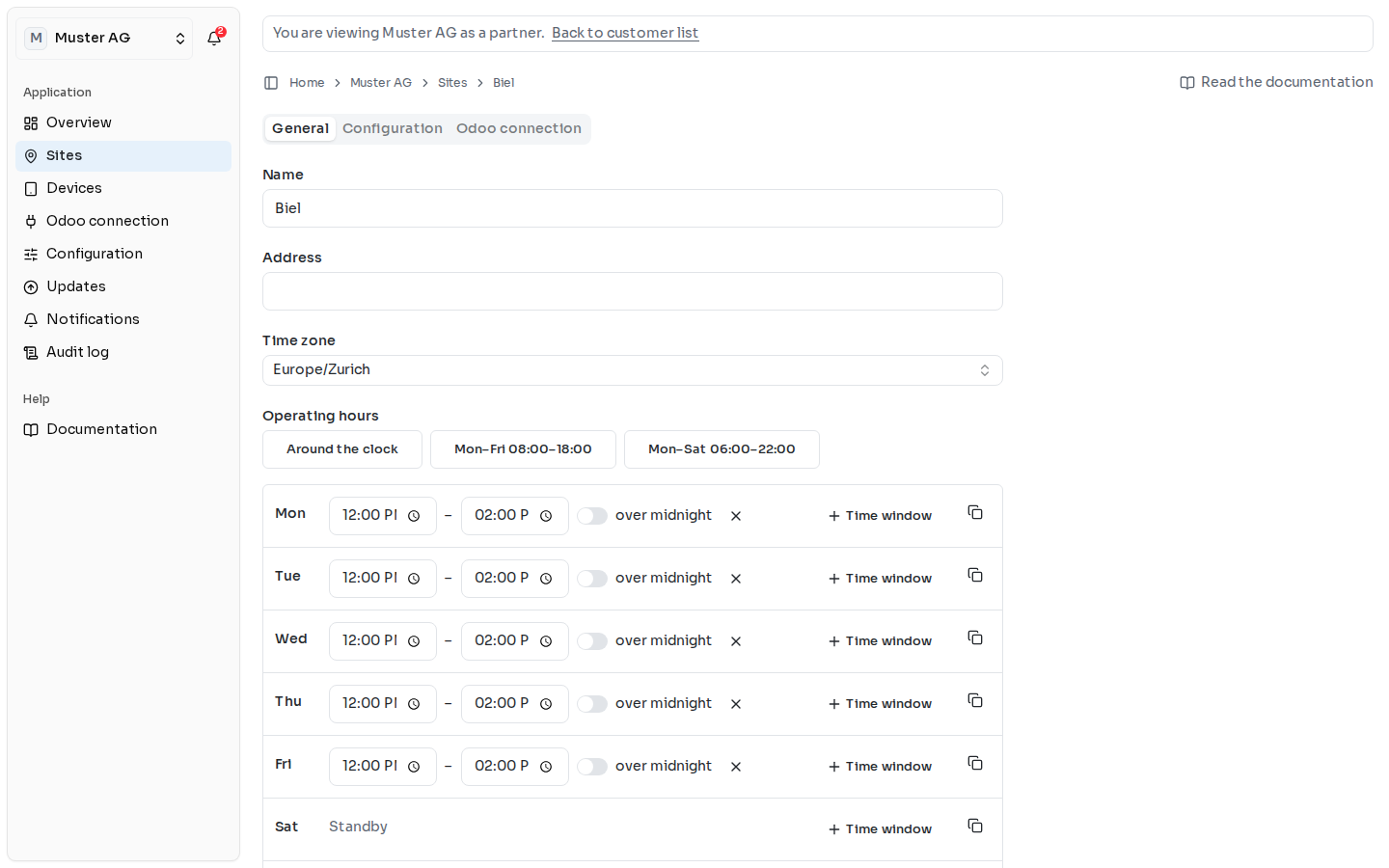
- Each weekday holds up to four time windows. Each lasts at least 15 minutes.
- “Time window” adds a window.
- For hours across midnight, such as 22:00 to 06:00, switch on “over midnight”.
- “Copy Mon” copies one day to all weekdays or to all days.
- The presets “Around the clock”, “Mon–Fri 08:00–18:00” and “Mon–Sat 06:00–22:00” fill the whole week at once.
- A day without a window is a standby day.
The times apply in the site's time zone. Below the fields is the summary the list shows as well.
Clocking outside operating hours
| Setting | On the device |
|---|---|
| Allow (a badge wakes the device and books) | A badge wakes the device and the booking goes through. |
| Block (device does not book) | The device shows “Outside operating hours” and does not book (BOOK-02). |
“Allow (a badge wakes the device and books)” is the default.
Defaults from the company
The company can set operating hours and the rule for outside hours for all sites in the configuration. A site takes these values until you change them in the tab “General”. From then on the site's own values apply. The tab “Configuration” shows what is inherited and what is the site's own; there “Reset” puts a value back to the company's.