

Audit log
Who changed what and when, with CSV export.
The audit log records who changed what in the account: sites, devices, registration codes, Odoo connection, configuration, notifications, members and the access of Klockix support. Bookings never show here.
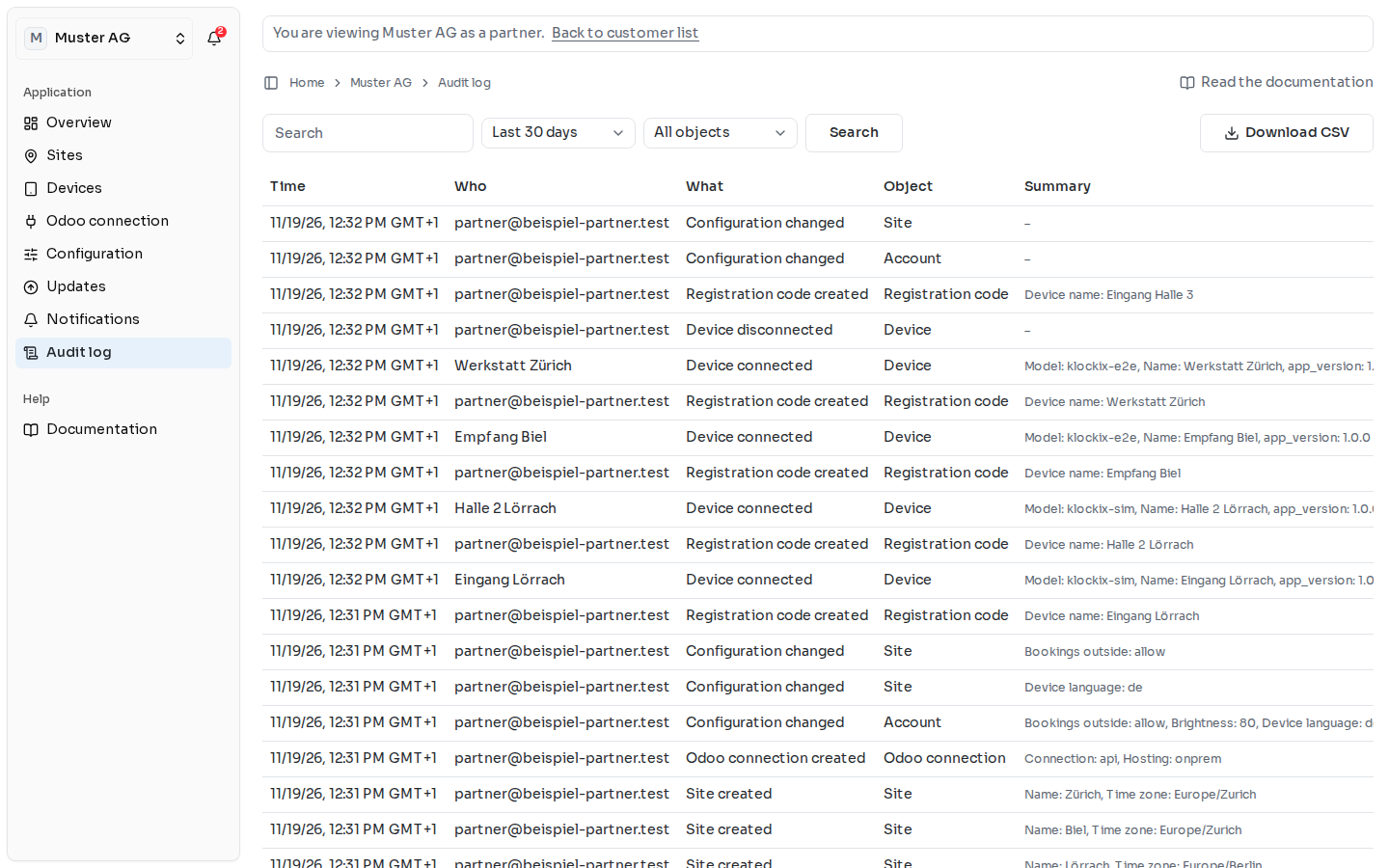
Read and filter
Each row names the time, who acted, what happened, the object and a summary of the change. Clicking the object opens it as long as it still exists.
- Under “Period”, choose the last 7, 30, 90 or 365 days. The default is 30 days.
- Narrow down under “Object”, for instance to devices or the Odoo connection.
- Search under “Search” for a name or an action and click “Search”.
A page shows 50 entries. “Older entries” pages back, “Newest entries” jumps to the start.
Who acted
“Who” shows the person's email address, for a device its name and for automatic steps “System”. Klockix shows as “Klockix”, the invited Klockix support too. A customer with a partner sees the partner's people only as “Partner”. The partner sees the addresses of its own people and the customer's people with “Customer:” before the address. Someone who left the account shows as “Former member”.
Download CSV
“Download CSV” downloads the entries with the chosen filters as a file, for instance klockix-audit-muster-ag-2026-11-25.csv. It is UTF-8 with semicolons as separators and opens directly in Excel. The columns are time, kind and name of the actor, action, object type, object ID, summary and changes. Names and summary are in the language of the page.
Who sees the audit log
Owners and administrators of the account and every person of the partner who looks after the account. Members of the account do not see the audit log, so in the partner's own account only owners and administrators see it.