

Codes d'erreur
Les codes affichés par l'appareil, avec explication et étape suivante.
Quand l'appareil affiche un code, cette page indique ce qu'il signifie et ce qu'il faut faire. L'appareil affiche ses textes en six langues : allemand, anglais, espagnol, français, italien et néerlandais. Les tableaux citent la version anglaise.
Réseau
NET-01
| Titre | Texte | Que faire |
|---|---|---|
| No network | The device is not connected to any network. Bookings are stored. | Check the network cable or set up the network again in the service menu. |
NET-02
| Titre | Texte | Que faire |
|---|---|---|
| No Wi-Fi networks found | Move closer to the router or connect a network cable. | Search again. |
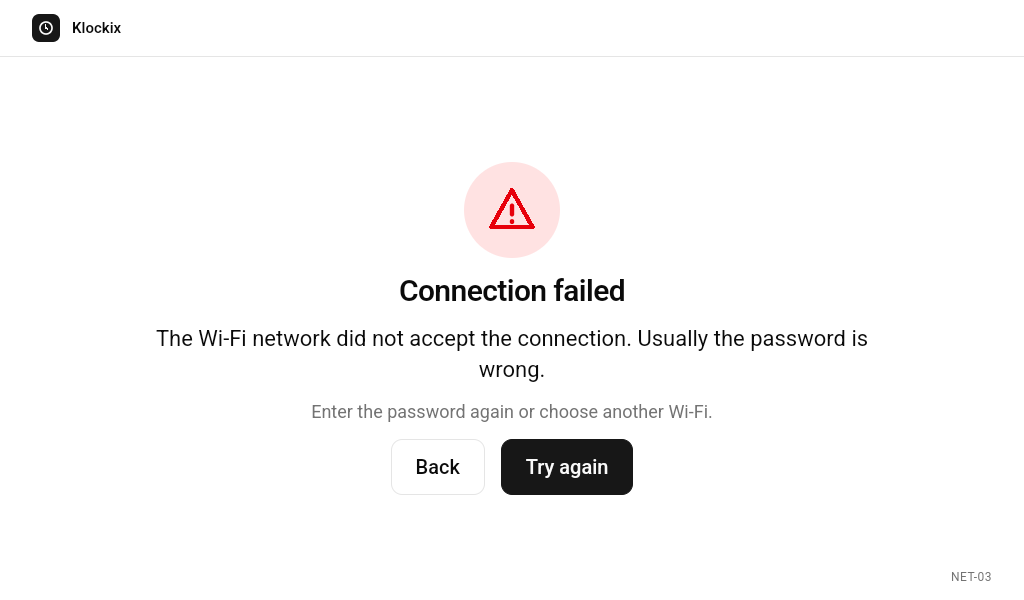
NET-03
| Titre | Texte | Que faire |
|---|---|---|
| Connection failed | The Wi-Fi network did not accept the connection. Usually the password is wrong. | Enter the password again or choose another Wi-Fi. |
NET-04
| Titre | Texte | Que faire |
|---|---|---|
| No internet | The network is connected but the internet cannot be reached. The device needs outbound port 443 (HTTPS) and 123 (NTP). | Check again. If it persists, have ports 443 and 123 opened in the firewall. |
NET-05
| Titre | Texte | Que faire |
|---|---|---|
| Browser sign-in required | This Wi-Fi uses a sign-in page. Such networks are not supported. | Choose another Wi-Fi or connect a network cable. |
NET-06
| Titre | Texte | Que faire |
|---|---|---|
| No IP address | The network did not assign an address to the device (DHCP). | Try again. If it persists, ask your network administrator. |
NET-07
| Titre | Texte | Que faire |
|---|---|---|
| Klockix cloud unreachable | Internet works, but the Fleet Console does not respond. "Connect directly to Odoo" is available. | Try again later or have device-api.klockix.com opened on port 443. |
NET-08
| Titre | Texte | Que faire |
|---|---|---|
| Name resolution failed | The network's DNS server does not respond. | Have the network's DNS server checked. |
NET-09
| Titre | Texte | Que faire |
|---|---|---|
| Wi-Fi unavailable | The Wi-Fi module is off or missing. | Use a network cable or contact support. |
NET-10
| Titre | Texte | Que faire |
|---|---|---|
| Network not supported | Enterprise Wi-Fi with user sign-in (802.1X) and WEP are not supported. | Choose another Wi-Fi or connect a network cable. |
Code d'enregistrement
CODE-01
| Titre | Texte | Que faire |
|---|---|---|
| Invalid character | The code has 6 characters without 0, O, 1 and I. | Correct the code. |
CODE-02
| Titre | Texte | Que faire |
|---|---|---|
| Code not valid | The code is unknown, expired (a code is valid for 30 minutes), already used or revoked. Check in the Fleet Console or create a new code. | Enter the code again or create a new one in the Fleet Console. |
CODE-03
| Titre | Texte | Que faire |
|---|---|---|
| Code expired | The code was valid for 30 minutes. Create a new one in the Fleet Console. | Enter the new code within 30 minutes. |
CODE-04
| Titre | Texte | Que faire |
|---|---|---|
| Code already used | Each code is valid for exactly one device. | Create a new code in the Fleet Console. |
CODE-05
| Titre | Texte | Que faire |
|---|---|---|
| Code revoked | The code was withdrawn in the Fleet Console. | Create a new code in the Fleet Console. |
CODE-06
| Titre | Texte | Que faire |
|---|---|---|
| Too many attempts | Try again in … s. | Wait until the lock has expired. |
CODE-07
| Titre | Texte | Que faire |
|---|---|---|
| Fleet Console unreachable | The code could not be checked. Please check the network. | Check the network and try again. |
Odoo
ODOO-10
| Titre | Texte | Que faire |
|---|---|---|
| Invalid address | Enter an address like https://company.odoo.com. | Correct the address. Unencrypted (http) works only with a server on your own network. |
ODOO-11
| Titre | Texte | Que faire |
|---|---|---|
| Address not found | The server name is unknown. Typo? | Check the spelling of the address. |
ODOO-12
| Titre | Texte | Que faire |
|---|---|---|
| Server not responding | No connection to …:…. Firewall or server down? | Have someone check that the server is running and the firewall allows the connection. |
ODOO-13
| Titre | Texte | Que faire |
|---|---|---|
| Invalid certificate | The server certificate has expired or does not match the address. | Have the certificate renewed. On your own server with its own certificate, confirm the fingerprint. |
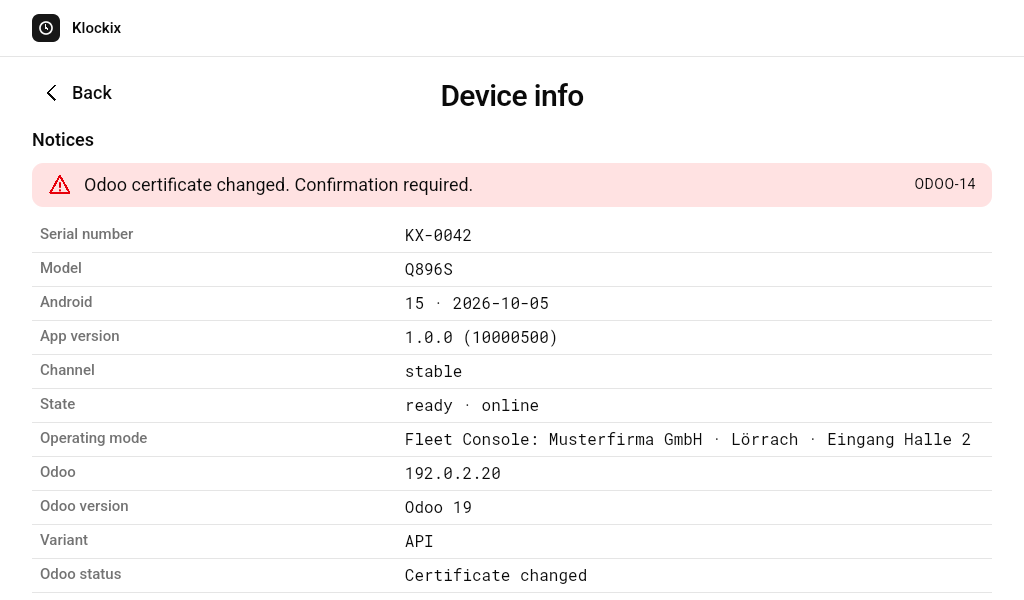
ODOO-14
| Titre | Texte | Que faire |
|---|---|---|
| Certificate changed | The server presents a different certificate than confirmed. Stopped for safety. | Confirm the new fingerprint in the service menu or in the Fleet Console. |
ODOO-15
| Titre | Texte | Que faire |
|---|---|---|
| No Odoo found | No Odoo server responds at this address. | Check the address: it is the one where Odoo opens in the browser. |
ODOO-16
| Titre | Texte | Que faire |
|---|---|---|
| Version not supported | Found Odoo …. Supported: 17, 18, 19 and 20. | Update Odoo to version 17 or newer. |
ODOO-17
| Titre | Texte | Que faire |
|---|---|---|
| Database not found | Enter the database name under "Advanced". | Ask your IT or your Odoo partner for the name. |
ODOO-18
| Titre | Texte | Que faire |
|---|---|---|
| Proxy asks for sign-in | Password protection (basic auth) sits in front of Odoo. Allow the Odoo address without password protection. | Ask your IT to let the device through without the password, for example by its IP address. |
ODOO-20
| Titre | Texte | Que faire |
|---|---|---|
| Sign-in failed | User or API key is wrong. The key is shown only once when created. | Create a new API key in Odoo and enter it here. |
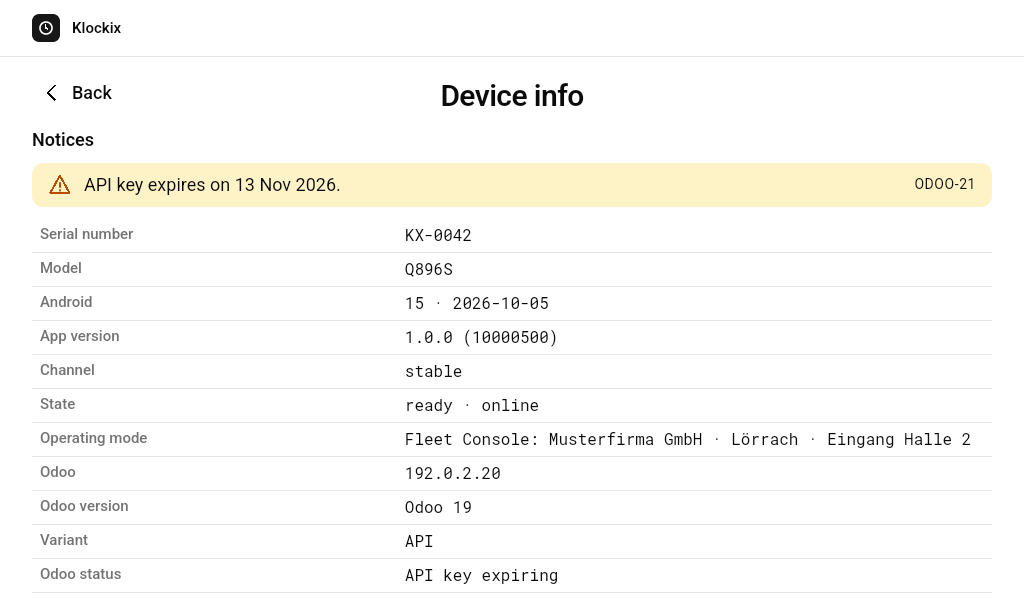
ODOO-21
| Titre | Texte | Que faire |
|---|---|---|
| API key expiring | The API key expires on …. Create a new one in Odoo and enter it here (or in the console). | Odoo shows the new key only once: copy it and enter it right away. |
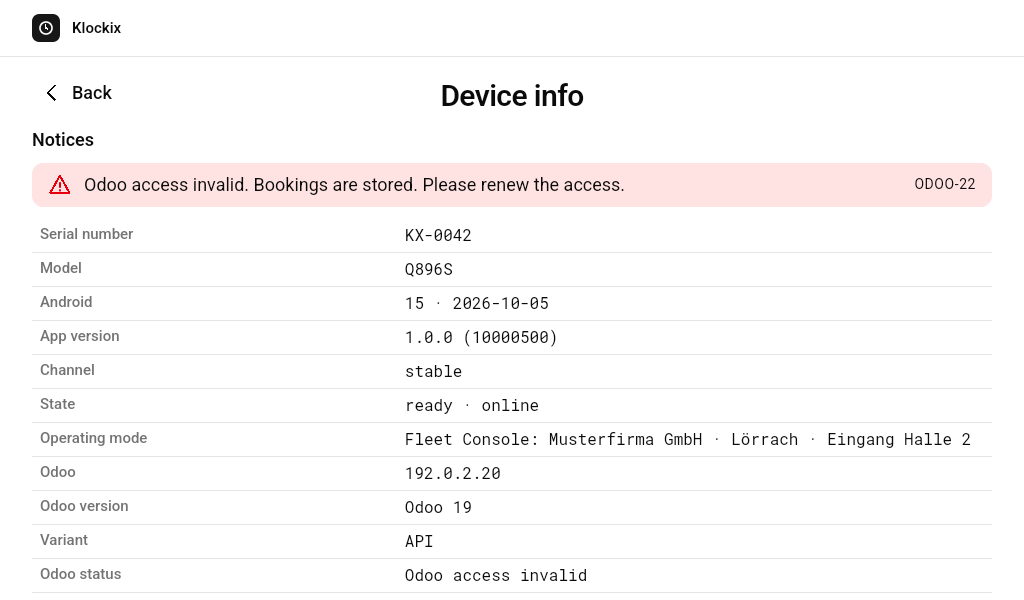
ODOO-22
| Titre | Texte | Que faire |
|---|---|---|
| Odoo access invalid | The API key was deleted or has expired. Bookings are stored until access is renewed. | Enter a new API key in the service menu or in the Fleet Console. |
ODOO-23
| Titre | Texte | Que faire |
|---|---|---|
| API blocked on this plan | Odoo Online Standard and One App Free do not allow API access. Please choose "Kiosk link". | Use the kiosk link or move Odoo to the Custom plan. |
ODOO-24
| Titre | Texte | Que faire |
|---|---|---|
| No permission | The user may not read employees. Grant "Employees: Officer" and "Attendances: Administrator" rights in Odoo. | Grant the user the rights named above in Odoo and test again. |
ODOO-25
| Titre | Texte | Que faire |
|---|---|---|
| Attendances not installed | The Odoo app "Attendances" is not installed. | Install the "Attendances" app in Odoo. |
ODOO-26
| Titre | Texte | Que faire |
|---|---|---|
| Booking not allowed | The user may not create attendances. | Allow the user to create attendances in Odoo. |
ODOO-27
| Titre | Texte | Que faire |
|---|---|---|
| Invalid kiosk link | The link looks like: https://company.odoo.com/hr_attendance/abc123… | Copy the link again in Odoo and paste all of it. |
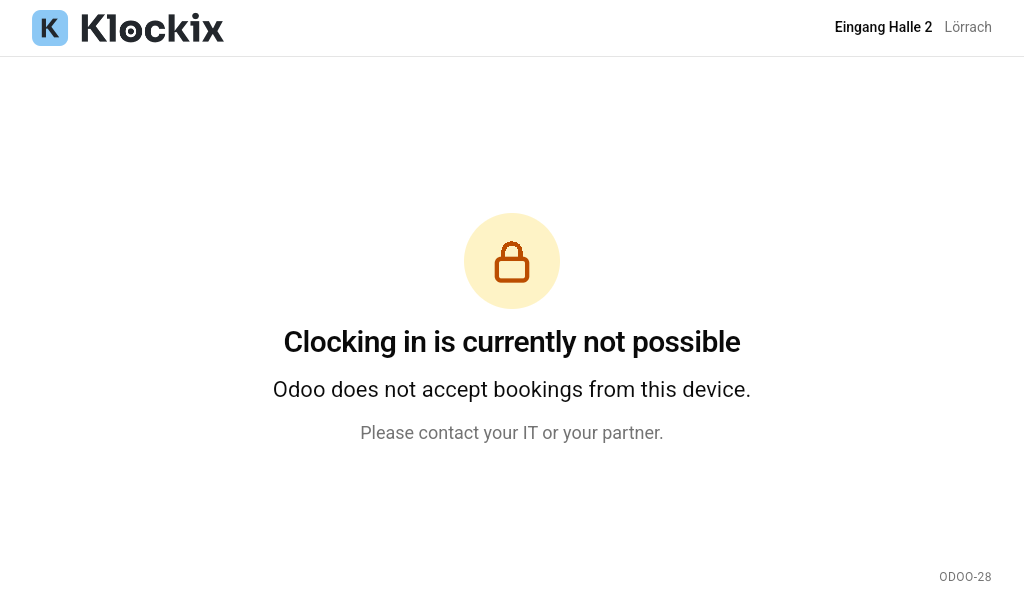
ODOO-28
| Titre | Texte | Que faire |
|---|---|---|
| Kiosk link unknown | Odoo does not know this link. Was it regenerated? | Copy the link again and enter it here. |
ODOO-29
| Titre | Texte | Que faire |
|---|---|---|
| Multiple companies | Choose the company under "Advanced" (or "all"). | If the company is missing from the list, give the user access to it in Odoo. |
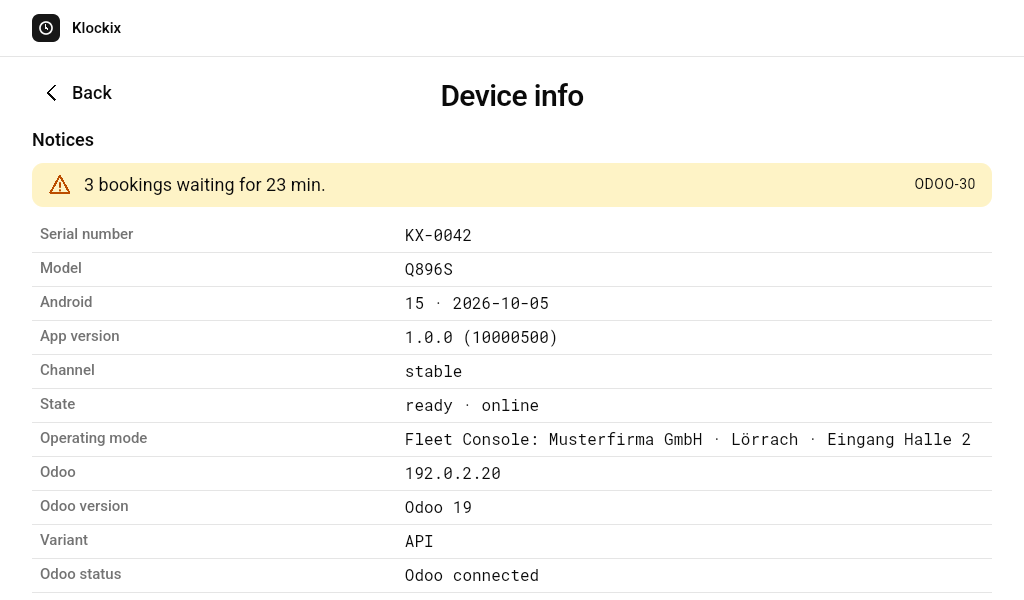
ODOO-30
| Titre | Texte | Que faire |
|---|---|---|
| Odoo unreachable | … bookings waiting. | Check the network. The bookings go out as soon as Odoo can be reached. |
ODOO-31
| Titre | Texte | Que faire |
|---|---|---|
| Booking rejected | Odoo rejected a booking (…). Details in the diagnostics package. | HR checks the attendance in Odoo. |
ODOO-32
| Titre | Texte | Que faire |
|---|---|---|
| No badges assigned | No employee in Odoo has a badge ID yet. | Enter the badge ID for the employees in Odoo. |
ODOO-33
| Titre | Texte | Que faire |
|---|---|---|
| Odoo throttling | Odoo is not accepting requests right now. The device retries automatically. | Wait a minute, then test again. |
ODOO-34
| Titre | Texte | Que faire |
|---|---|---|
| Odoo server error | Odoo answered with an error. The device retries automatically. | Try again later. If the error persists, ask your Odoo administrator. |
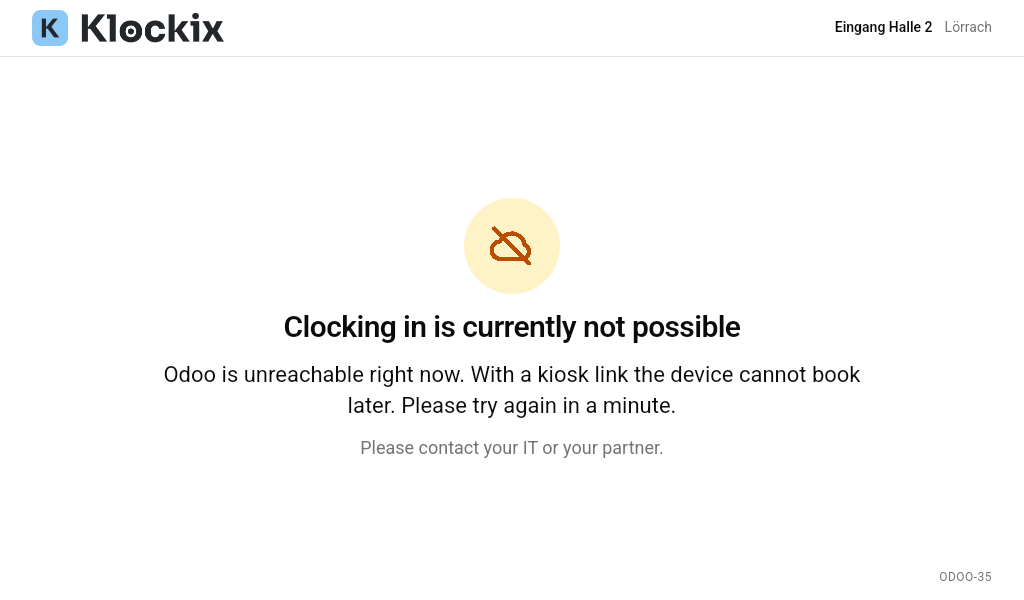
ODOO-35
| Titre | Texte | Que faire |
|---|---|---|
| Clocking in is currently not possible | Odoo is unreachable right now. With a kiosk link the device cannot book later. Try again in a minute or contact your IT or your partner. | Have the network and the connection to Odoo checked. |
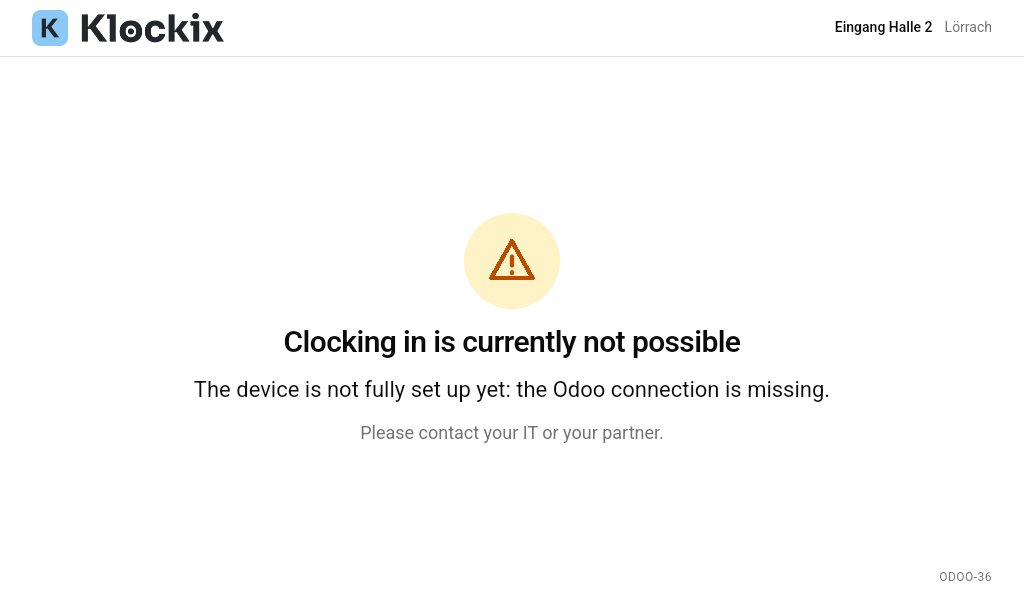
ODOO-36
| Titre | Texte | Que faire |
|---|---|---|
| Clocking in is currently not possible | The device is not fully set up yet: the Odoo connection is missing. Please contact your IT or your partner. | Set up the Odoo connection in the Fleet Console. |
Heure
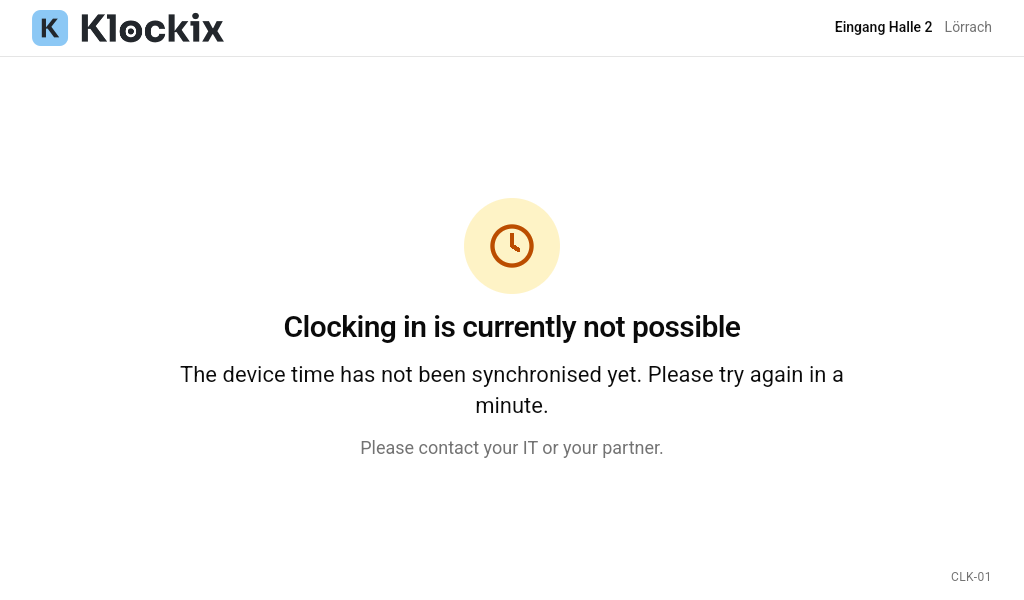
CLK-01
| Titre | Texte | Que faire |
|---|---|---|
| Time not synchronised | Booking not possible until the time server confirms the time. | Check the network and wait a minute. |
CLK-02
| Titre | Texte | Que faire |
|---|---|---|
| Time server unreachable | Port 123 (UDP) is probably blocked. | Open port 123 (UDP) in the firewall or set your own time server in the Fleet Console. |
CLK-03
| Titre | Texte | Que faire |
|---|---|---|
| Unknown time zone | "…" is not valid, UTC applies. | Check the site's time zone in the Fleet Console. |
Mises à jour
UPD-01
| Titre | Texte | Que faire |
|---|---|---|
| Update download failed | Will be retried at the next check. | No action needed. |
UPD-02
| Titre | Texte | Que faire |
|---|---|---|
| Update rejected | The update signature is invalid. It was not installed. | Inform Klockix support. |
UPD-03
| Titre | Texte | Que faire |
|---|---|---|
| Installation failed | …. The previous version keeps running. | Inform Klockix support. |
UPD-04
| Titre | Texte | Que faire |
|---|---|---|
| Update rolled back | Version … was not stable, version … is active again. | No action needed. |
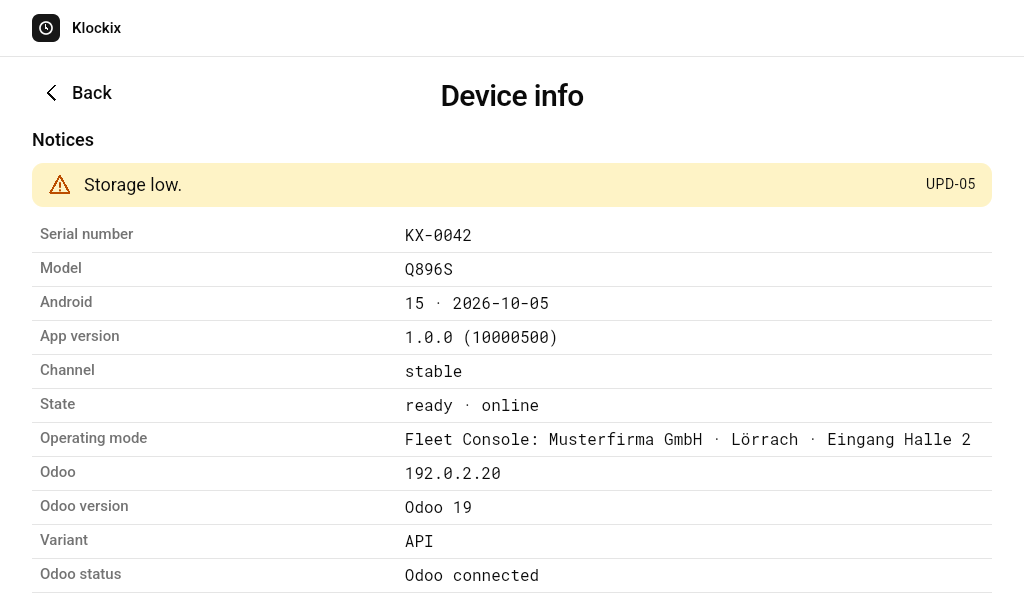
UPD-05
| Titre | Texte | Que faire |
|---|---|---|
| Storage low | Updates are loaded again once space is free. | Inform Klockix support. |
UPD-06
| Titre | Texte | Que faire |
|---|---|---|
| No update | Version … is current. | No action needed. |
Fleet Console
FLEET-01
| Titre | Texte | Que faire |
|---|---|---|
| Fleet Console unreachable | Configuration and status will sync later. Bookings are not affected. | No action needed. If it lasts, check the network. |
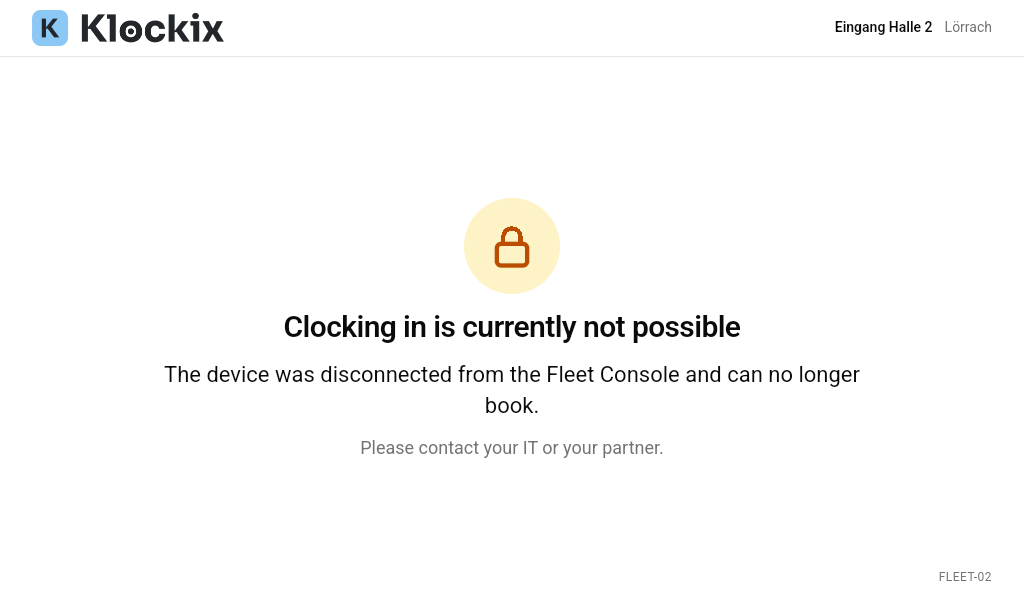
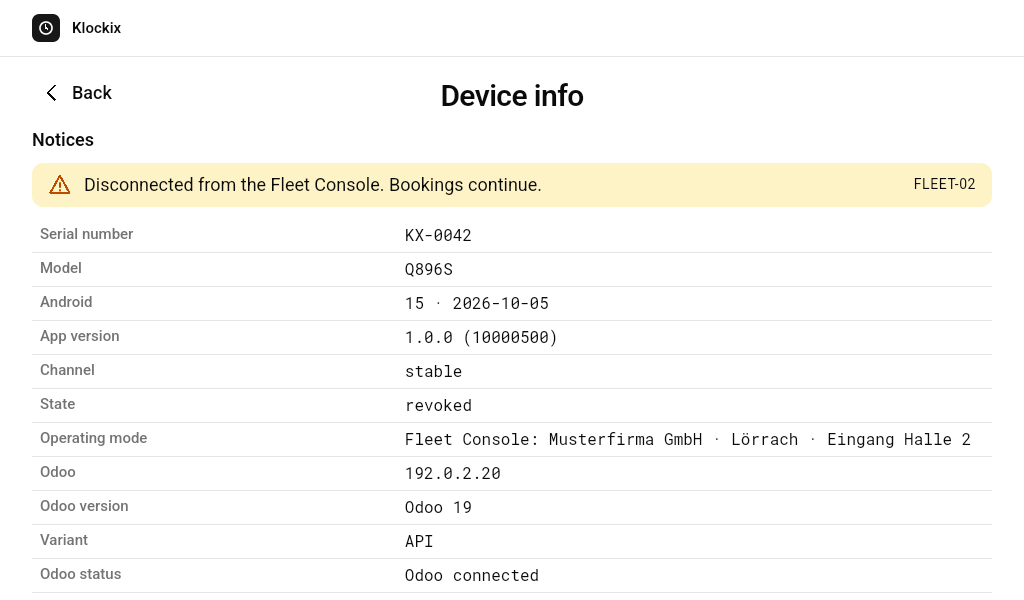
FLEET-02
| Titre | Texte | Que faire |
|---|---|---|
| Disconnected from the Fleet Console | The device was removed in the console. It keeps booking with the last configuration. | Enter a new registration code in the service menu. |
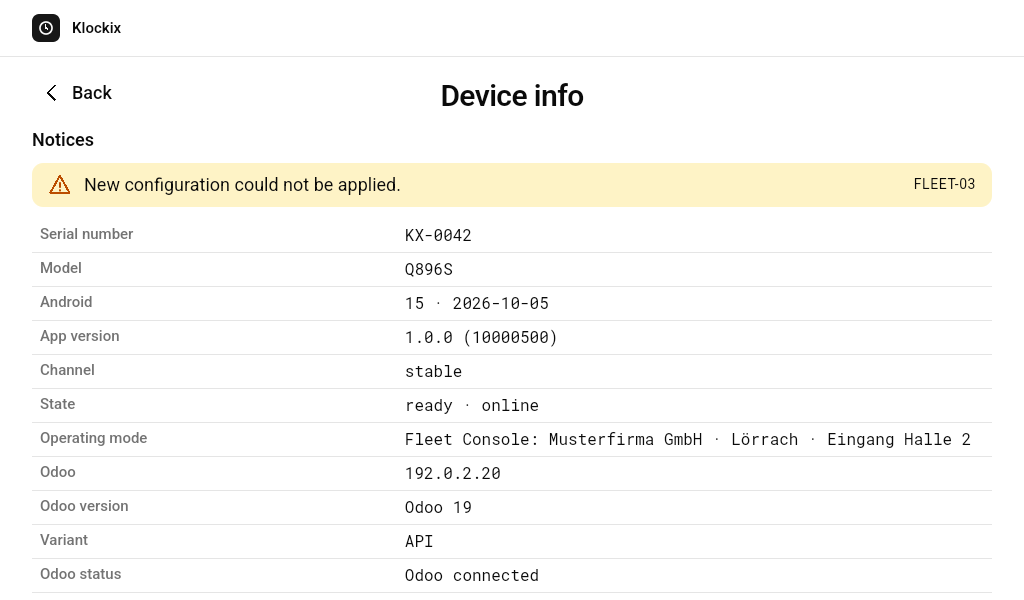
FLEET-03
| Titre | Texte | Que faire |
|---|---|---|
| Invalid configuration | The new configuration could not be applied; the last valid one stays active. | Inform your partner. |
FLEET-04
| Titre | Texte | Que faire |
|---|---|---|
| Logo not loaded | The Klockix logo is shown. | Check the logo file in the Fleet Console. |
Lecteur de badges
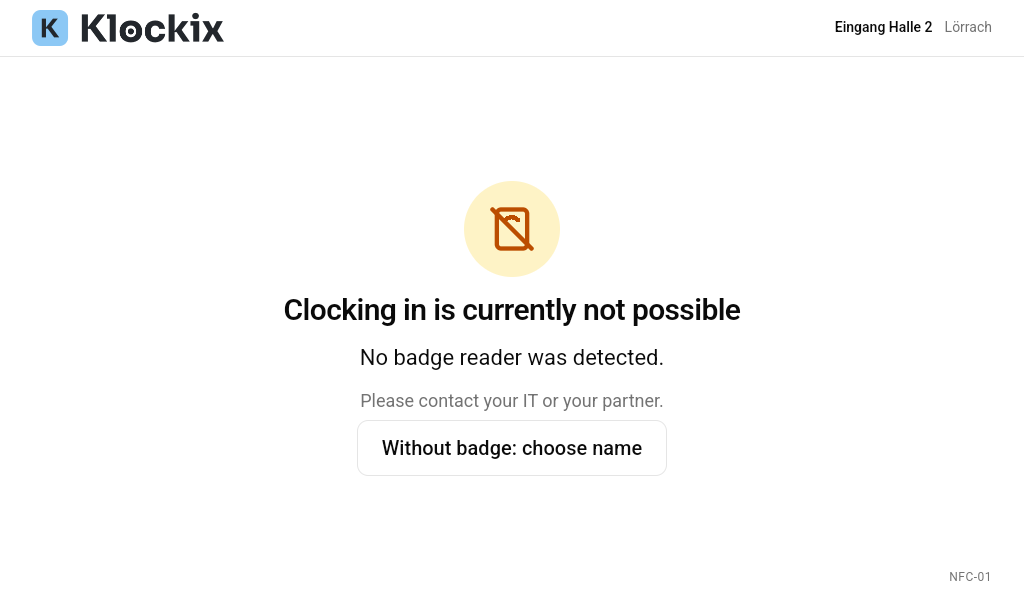
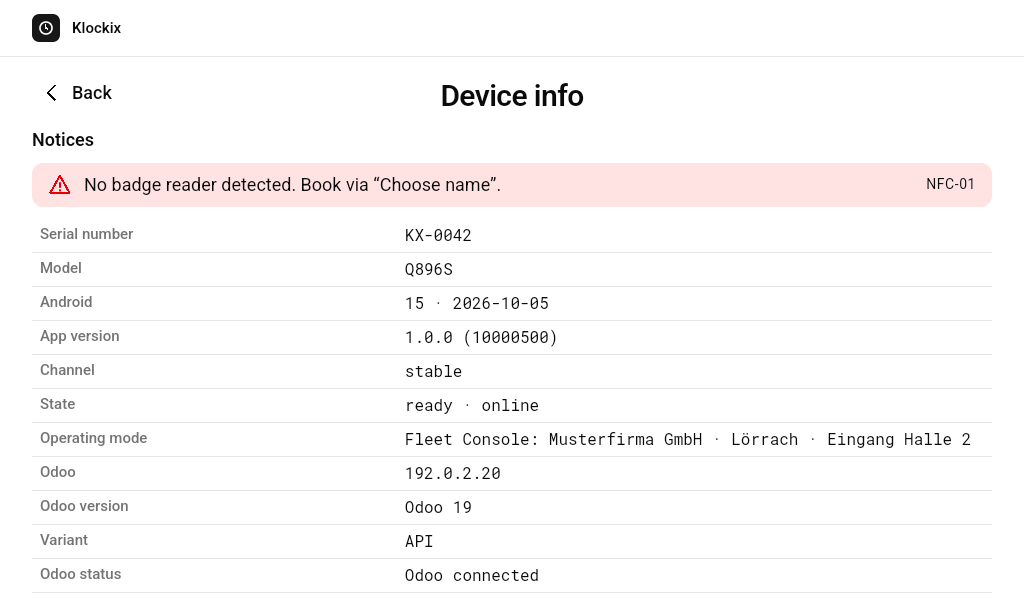
NFC-01
| Titre | Texte | Que faire |
|---|---|---|
| No badge reader | Neither NFC nor USB reader found. Book via "Choose name". | Contact support. |
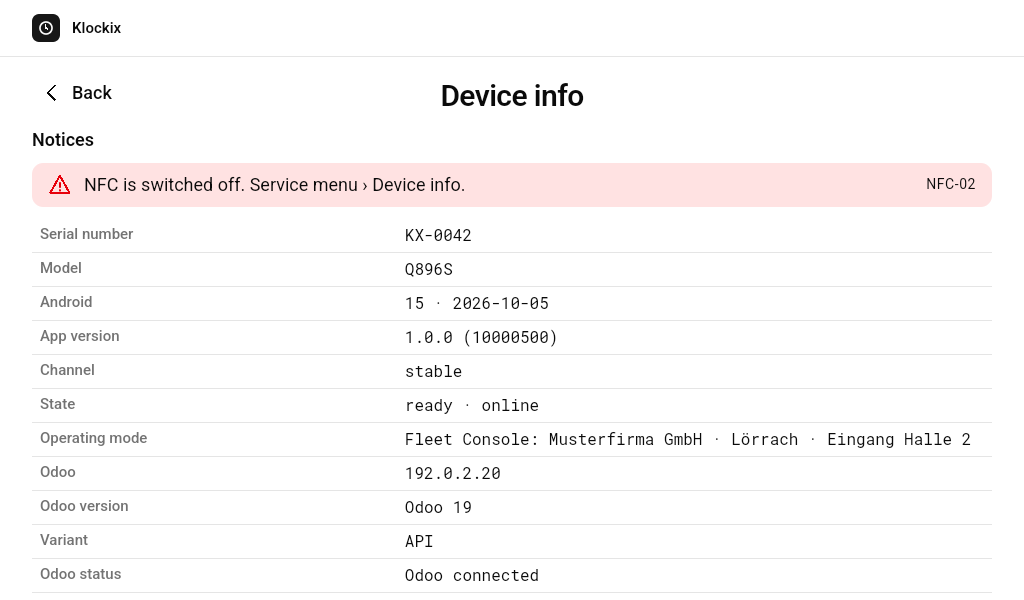
NFC-02
| Titre | Texte | Que faire |
|---|---|---|
| NFC switched off | Please contact support. | Contact support and give the status from Service menu › Device info. |
NFC-03
| Titre | Texte | Que faire |
|---|---|---|
| Reader error | The badge reader was restarted. Please tap again. | Hold the badge still until the tone sounds. |
Menu de service
SVC-01
| Titre | Texte | Que faire |
|---|---|---|
| Wrong PIN | – | Enter the PIN again. |
SVC-02
| Titre | Texte | Que faire |
|---|---|---|
| Locked for … s | – | Wait until the lock has expired. |
SVC-03
| Titre | Texte | Que faire |
|---|---|---|
| PIN too simple | Please choose a different PIN. | Choose another PIN with 4 to 8 digits, not 1234, 2580 or one digit repeated. |
SVC-04
| Titre | Texte | Que faire |
|---|---|---|
| Reset blocked | … bookings are still waiting to be sent. | Connect the device to the network and wait until the bookings are sent. Then reset again. |
SVC-05
| Titre | Texte | Que faire |
|---|---|---|
| Diagnostics not allowed | The diagnostics package was not sent. Neither the Fleet Console nor the device allows sending it. | Allow diagnostics in the Fleet Console, or turn on “Allow sending diagnostics” at the device in the service menu under “Diagnostics”. |
Pointages
BOOK-01
| Titre | Texte | Que faire |
|---|---|---|
| Booking not possible | Odoo is unreachable. With a kiosk link the device cannot book later. | Tap again later. |
BOOK-02
| Titre | Texte | Que faire |
|---|---|---|
| Outside operating hours | Bookings possible from … …. | Book during operating hours. |
BOOK-03
| Titre | Texte | Que faire |
|---|---|---|
| Badge not known | Please contact HR. | Ask HR to assign the badge in Odoo. |
BOOK-04
| Titre | Texte | Que faire |
|---|---|---|
| Already booked at … | – | No action needed. |
BOOK-05
| Titre | Texte | Que faire |
|---|---|---|
| PIN not recognised | Please try again. | Enter the PIN again. |
BOOK-06
| Titre | Texte | Que faire |
|---|---|---|
| Connection interrupted | Check in Odoo whether the booking arrived before tapping again. | If the booking is missing in Odoo, tap again. |